An universal software solution
for efficiently managing limousine businesses
MY CONTRIBUTION
Interviewing CEO of the company who was the main stakeholder to find out about business needs in order to collect requirements
Surveying limo agents who use competitive products to find about their needs and opportunities for our product
Creating flows and wireframe concepts to quickly test ideas in the early phase of the project
Designing high-fidelity product interfaces and prototypes
Maintaining, customizing and expanding Bootstrap design system for faster progress with design
Presenting and demonstrating design work to the CEO and other stakeholders
Helping developers implement the design into the product and making final design adjustments before development, if necessary
Checking the quality of deployed product to make sure it's implemented according to the plan
TECHNOLOGY STACK

Sketch

Claude

ChatGPT

Jira

Notion

Draw.io
THE CHALLENGE
The client is an established company in the limo industry. It has clear understanding of target users and their needs. This helped in our research and design process so that we have clear idea.
The software is called OpenLimo. Its main goal is to help limousine companies manage all aspects of their business: fleet, drivers, finances, accounts, passengers, bookings, dispatching, and more.
The primary users of OpenLimo software are medium-sized limousine businesses where we would offer new modern solution for their business.

OpenLimo was designed to be a complete limousine dispatch system. We aimed to build a Software as a Service that would have all the features needed for medium-sized limousine businesses.
UNDERSTANDING USERS
Through user interviews, we gathered valuable insights that directly shaped our product development strategy. Speaking with dispatchers, drivers, and business owners revealed critical pain points and workflows that became our primary focus areas. In parallel, we also researched leading market software to benchmark features, identify gaps, and ensure our solution remained competitive.
These conversations and market studies provided essential information on feature priorities and integration needs. Every interview and research effort contributed meaningful data that guided our design decisions and helped us create a solution truly aligned with user needs.

MARKET ANALYSIS
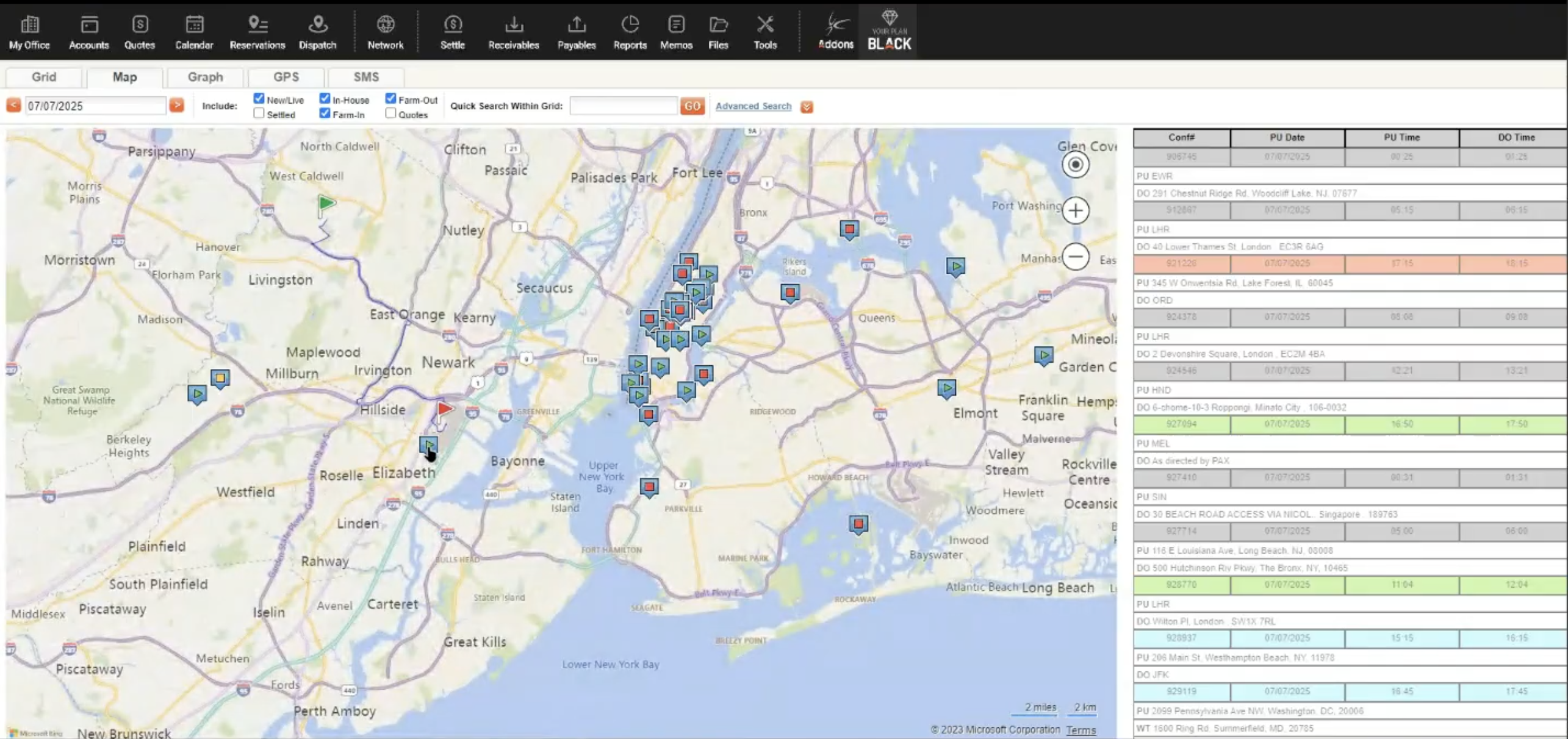
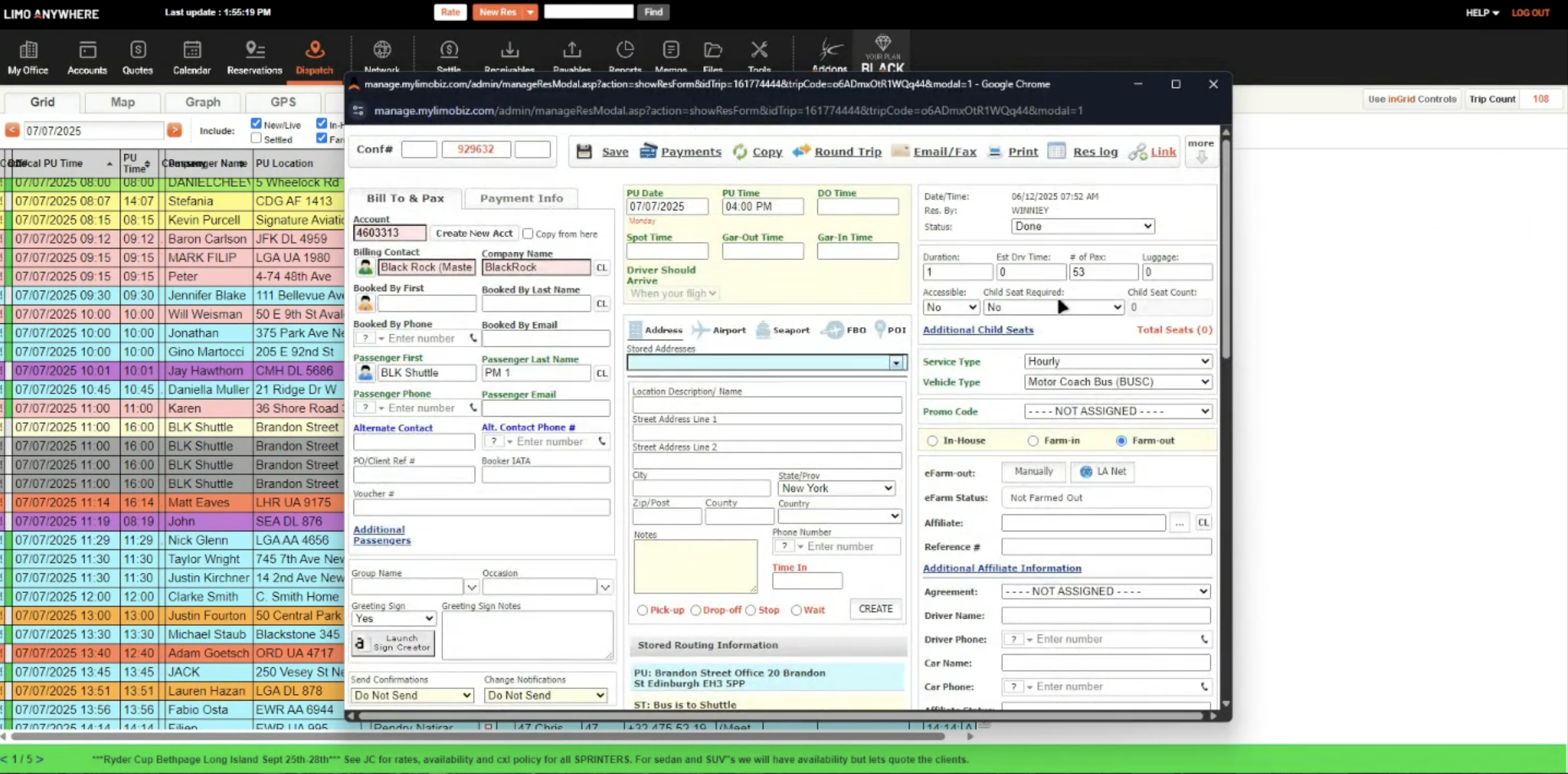
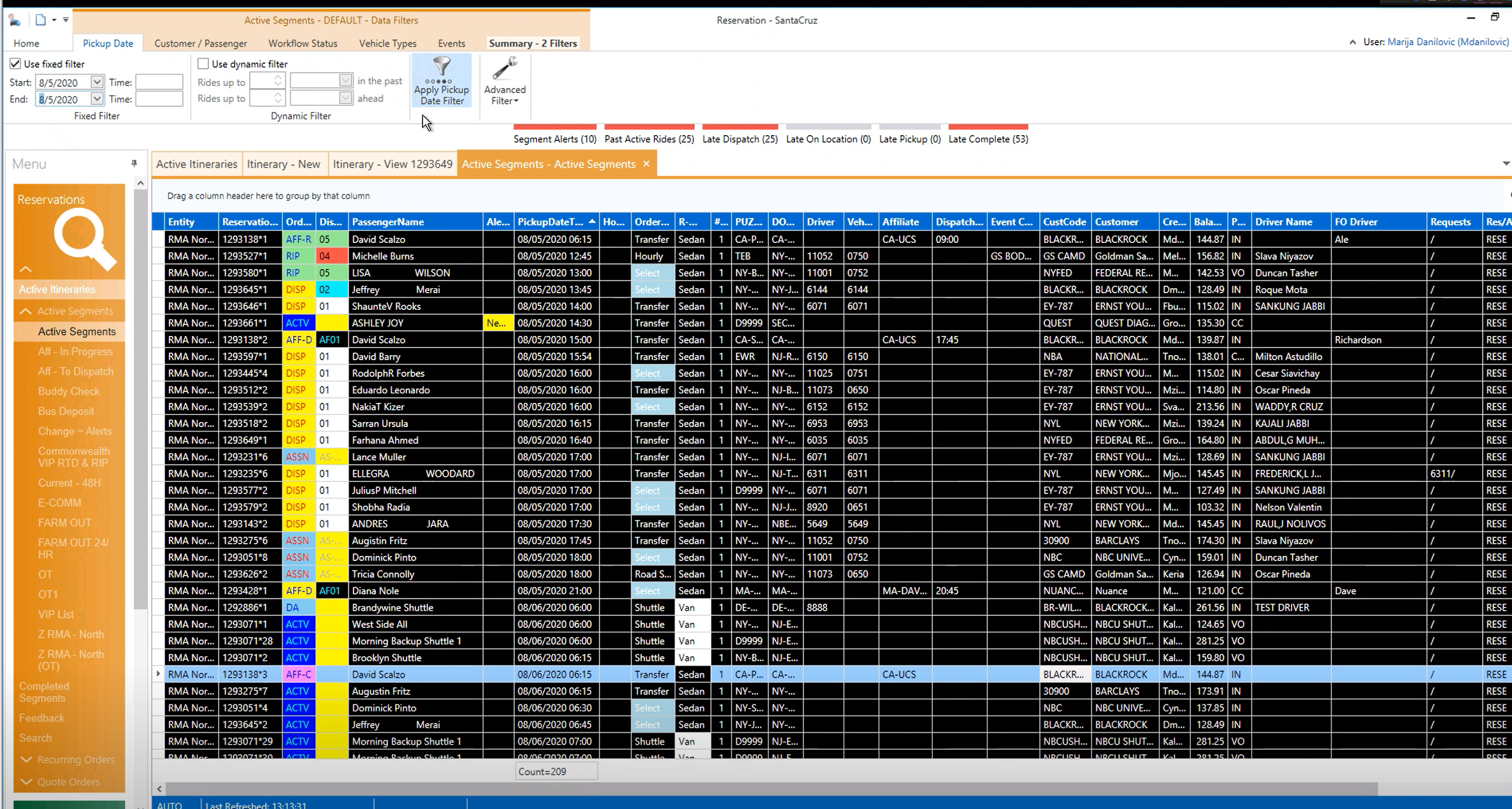
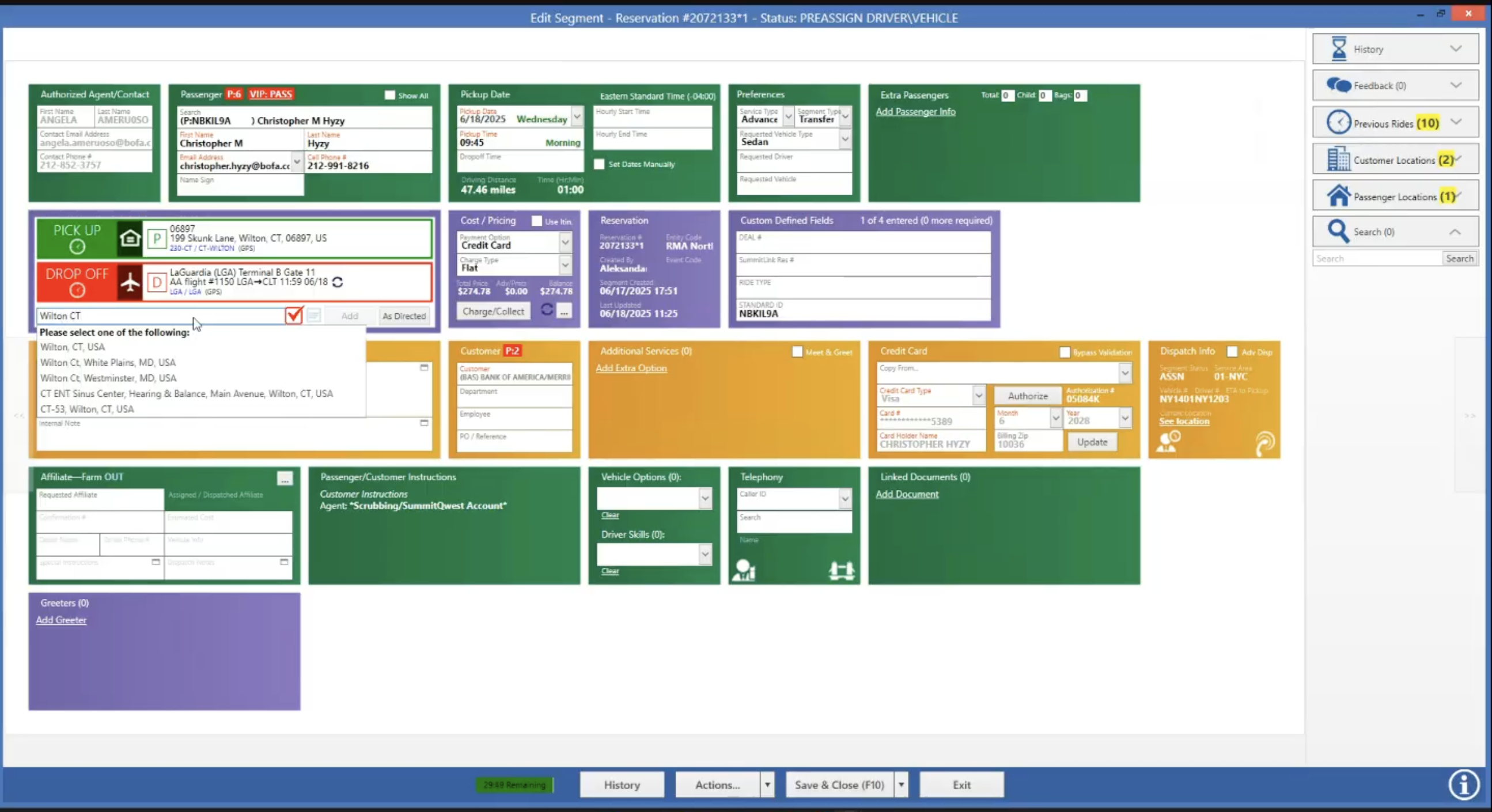
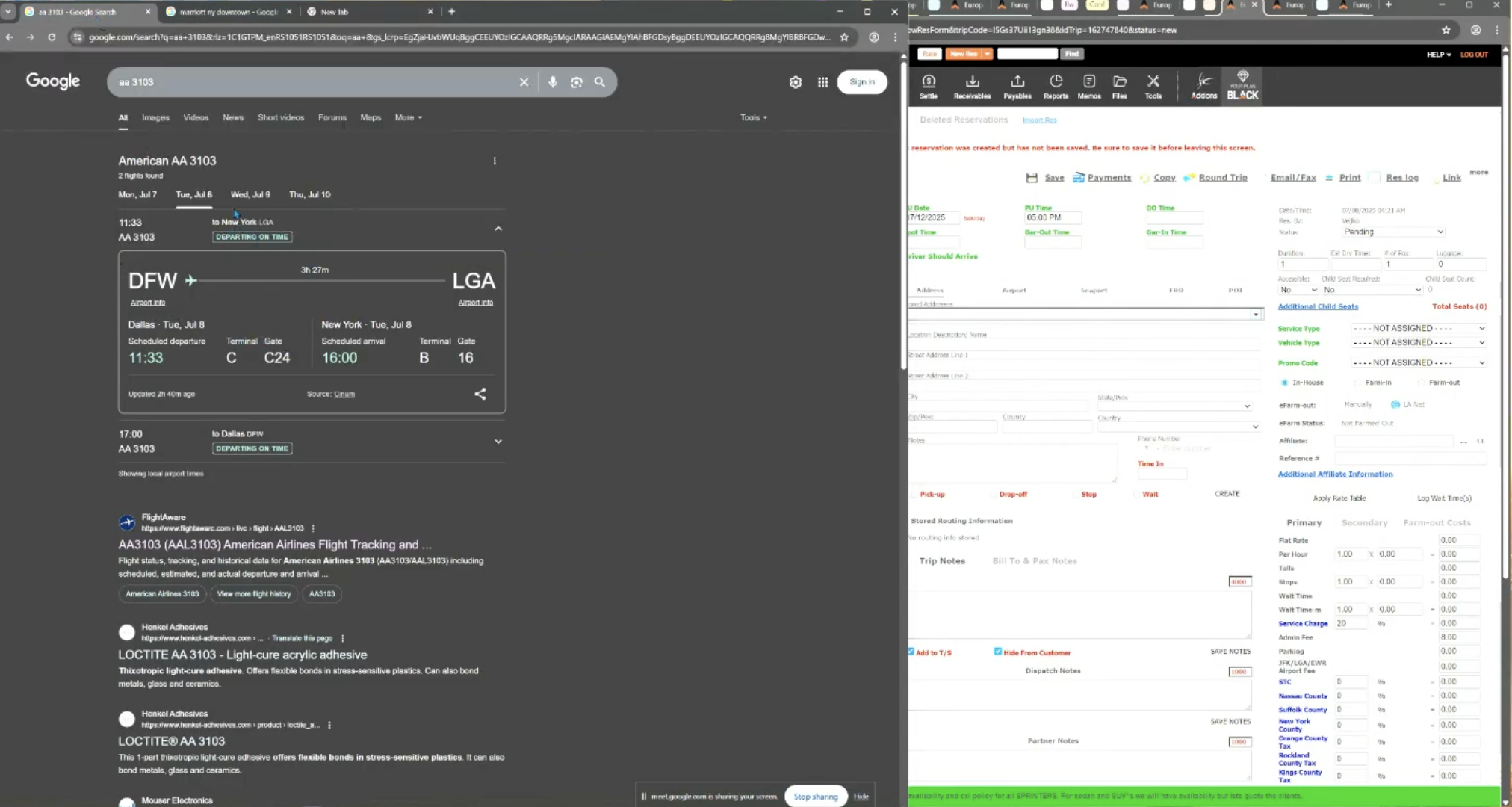
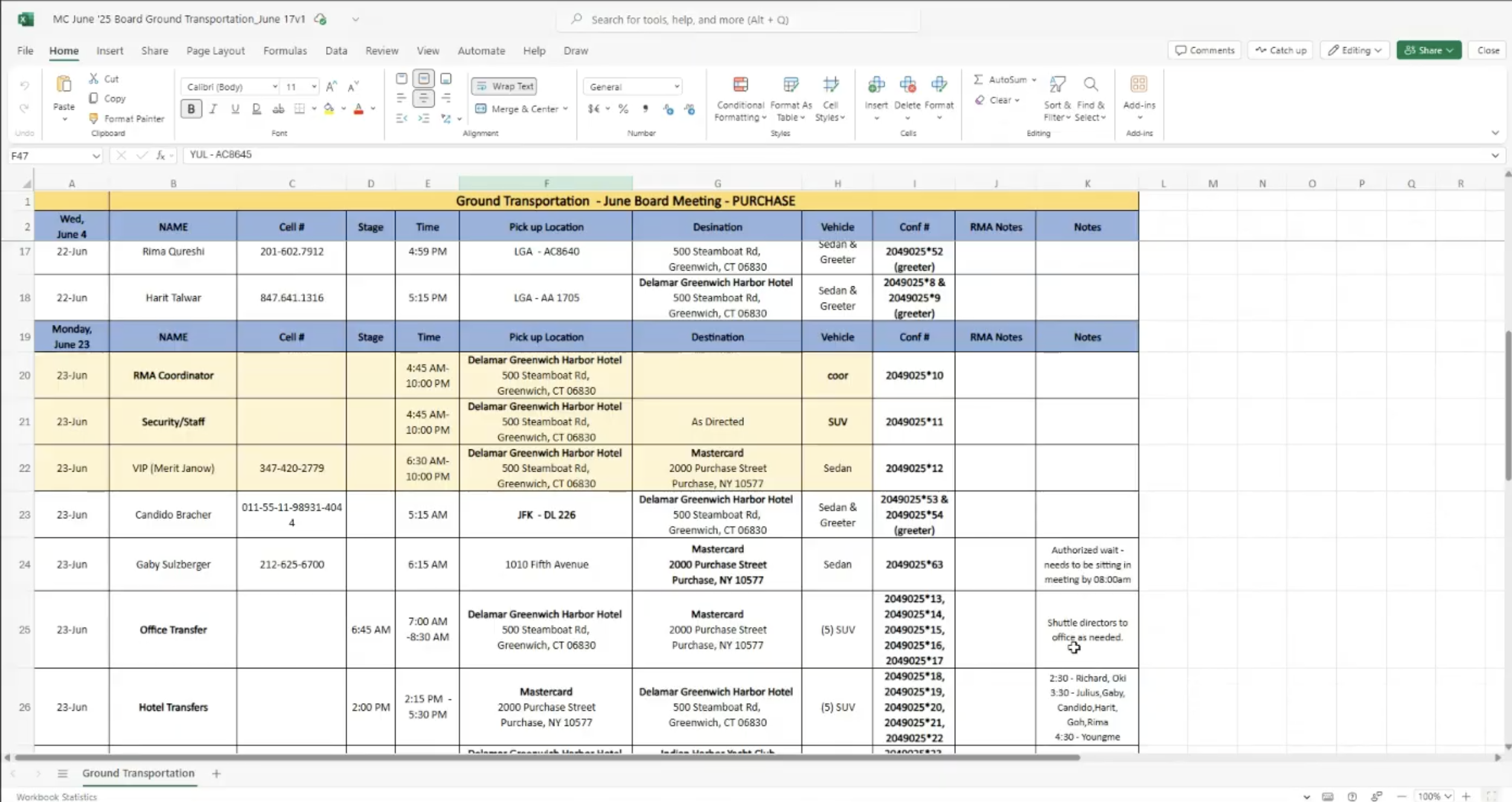
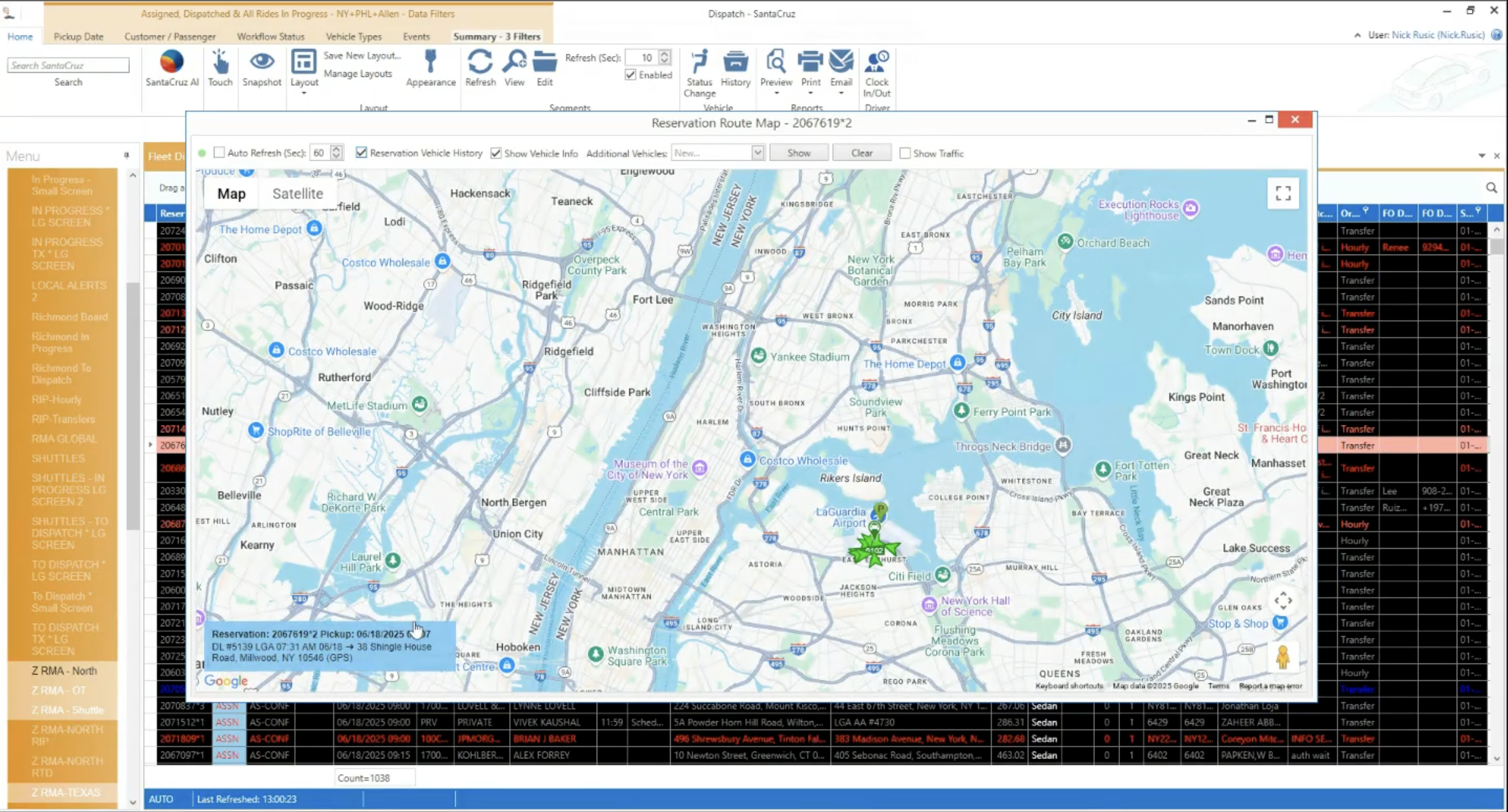
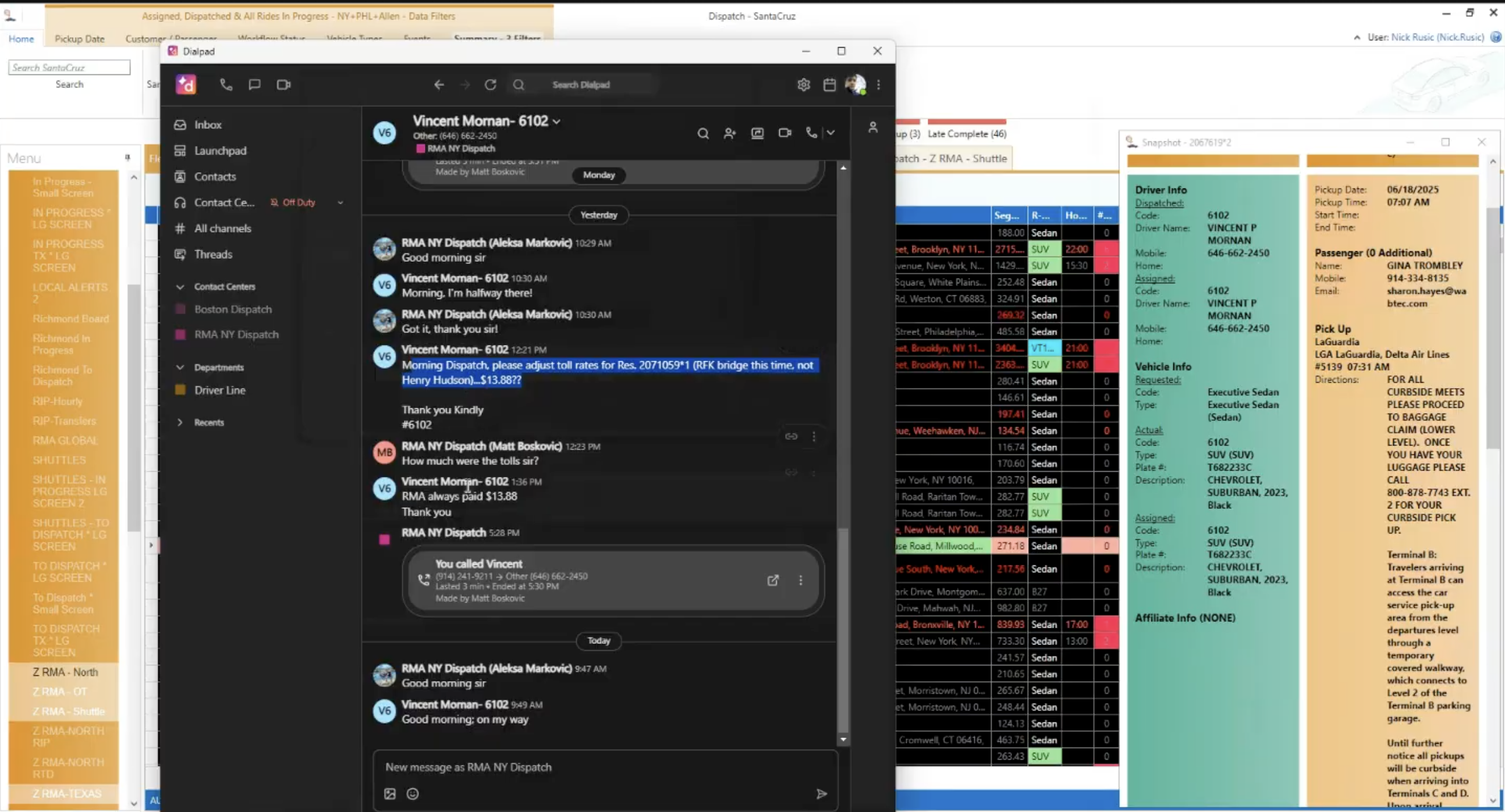
We collected screenshots, videos, and interviews for competitive research to reveal the strengths and weaknesses of existing solutions. Our product was meant to be used in business-to-business (B2B) environment, hence testing competitive products was challenging because they either required registration or didn't offer trials at all. We placed screenshots next to the design work as a form of moodboard and inspiration.
Based on recent comparisons, reviews, and market visibility, these are some of the leading limo / chauffeur management / dispatch / reservation systems.
We found out that there was much room to innovate, focusing on improving features, adding new one, reliability, and simplicity to create solutions that actually make users finishing task smooth and faster.

COLLECTING RESEARCH
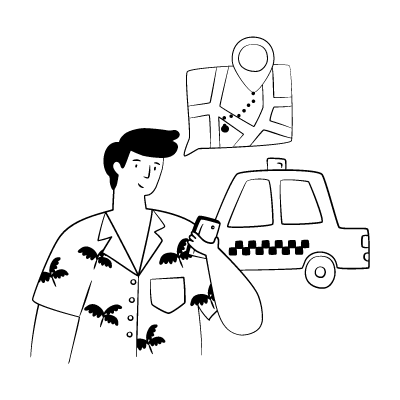
Following call center reservation agents, dispatcher, billing agents through typical workday managing bookings, coordinating drivers, closing billing and ensuring smooth operations, we noticed that they are opening to many different programs to complete reservations. This process often causes system to crash multiple times, which significantly slows down workflow. Streamlining this process could help finish reservations much faster and improve overall efficiency.




Multiple systems to check
Can't see driver status
No traffic integration
Constant phone calls
Manual calculations
Single system for all operations - bookings, drivers, routes, and billing in one place.
Live tracking, instant notifications, and automatic status updates for all stakeholders.
Automated dispatching, smart routing, and instant invoicing to save time and reduce errors.
During research, we recorded a lot of notes containing stakeholders and clients industry knowledge. We were able to easily transform these research notes into a set of requirements and software features. We conducted 15+ interviews with limousine dispatchers, drivers, and business owners. Their quotes were organized into themes to reveal key pain points and opportunities.
"I have to open 5 different windows just to book one ride"
"The software looks like it's from Windows 95"
"It crashes at least twice a day during peak hours"
"Training new staff takes weeks because nothing is intuitive"
"I spend half my day on the phone with drivers asking where they are"
"Clients call constantly because they can't track their ride"
"We have no way to send automatic updates to passengers"
"Drivers don't get notifications about schedule changes"
"I can't generate reports without exporting to Excel first"
"We lose track of vehicle maintenance schedules"
"There's no way to analyze our busiest routes or times"
"Billing errors happen because everything is manual"
"We need real-time GPS tracking for ride"
"A mobile app for drivers would change everything"
"Flight status in real time speeding up the process"
"Setting page with all resources like fleets, service types, drivers, affiliates"
FOUNDATION
We started with a free Bootstrap 4 kit as the foundation for our design system, which was already well-structured in colors, typography, and components. Building on this organized base was easier than starting from scratch. As we designed, we created new components and UI patterns to better fit OpenLimo's needs, since Bootstrap isn't one-size-fits-all. When Bootstrap 5 was released—with dark mode support as the main change—our consistent, well-planned system made it easy to adapt. Switching the entire app to dark mode required only swapping the design library.
BRINGING IDEAS TO LIFE
Building the basic layouts in high-fidelity was a straightforward task since the foundation for design is Bootstrap UI library with its robust components. The early design decisions for layout made design work more efficient; most of the time we started designing directly in high-fidelity because major design decisions about interface organization were already determined. We were able to focus on interface details very quickly after a new feature was brought to the table.
COLLABORATION
We held regular weekly design review sessions. The whole team gathered in person to examine the status of design work. While one designer presented, other team members conducted a design critique in form of questions, with another designer noting the comments and decisions. The presentation held on a big screen in front of a whole team enhanced transparency and productivity during the design review meeting. Most of these meetings were held in person, proving more effective than online ones.
We received the most comments and suggestions from the CEO. This feedback was twofold: either in the form of direct interface interventions or more general suggestions to completely transform the intended flow to better align with business intentions and user goals.
Minor design changes were shared with the team before the next design review meeting. When major design interventions required additional input, deeper research, and business explanations, the design team called for a meeting to gather the necessary information. I discussed design decisions and conducted mini-design review sessions daily with the design lead. Additionally, I had the opportunity to meet with developers daily to elaborate on the design in detail and guide them towards correct implementation.
ITERATIONS
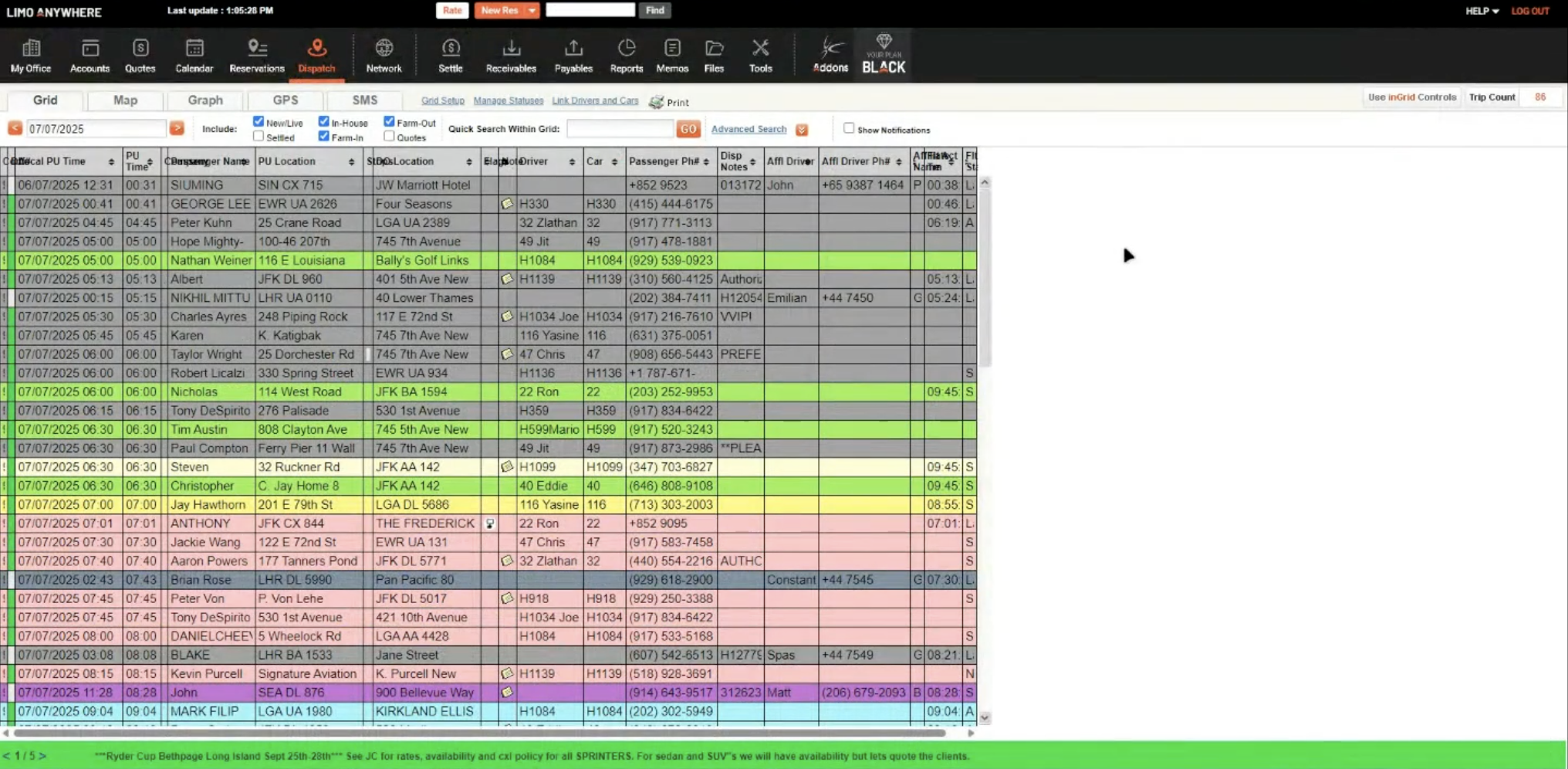
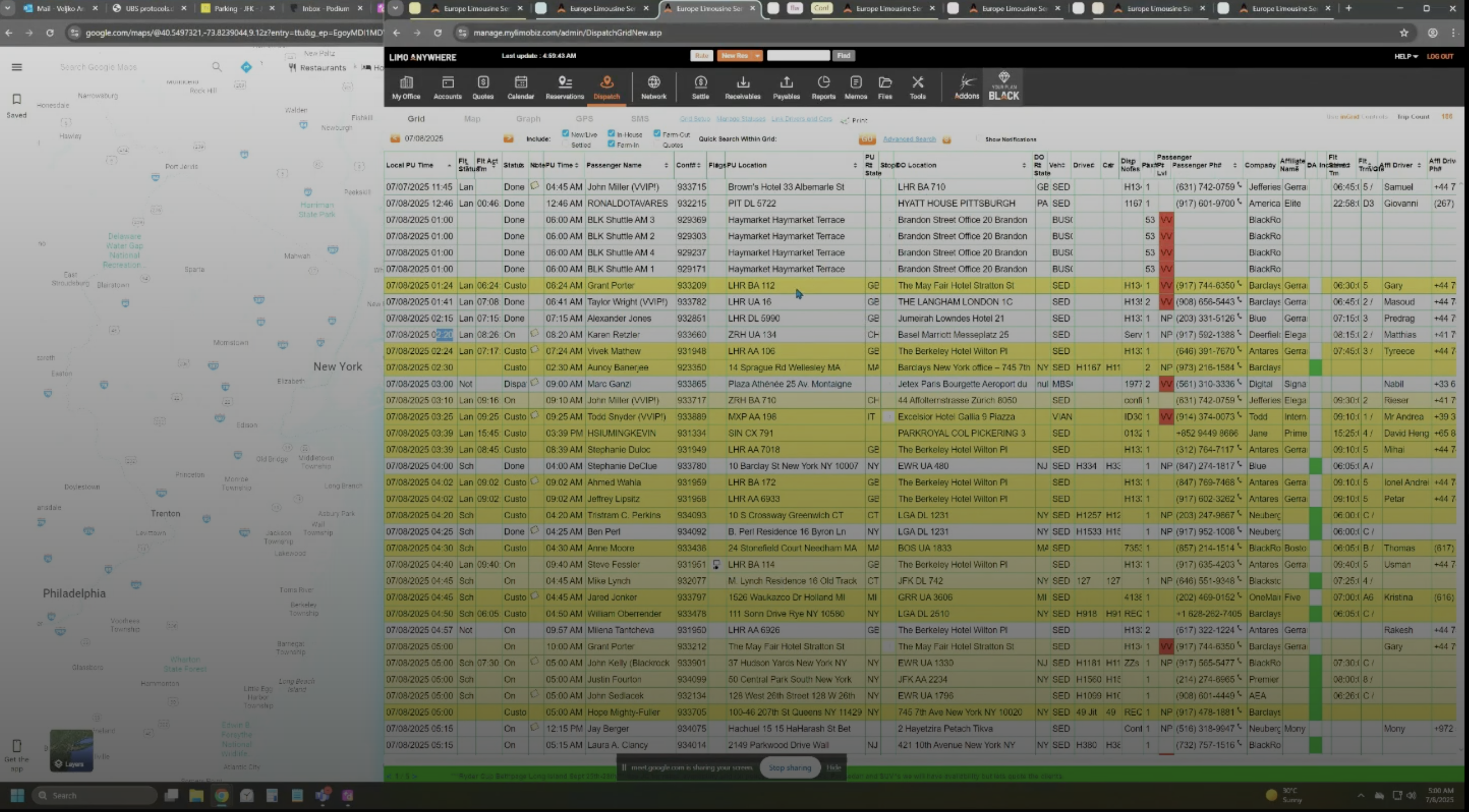
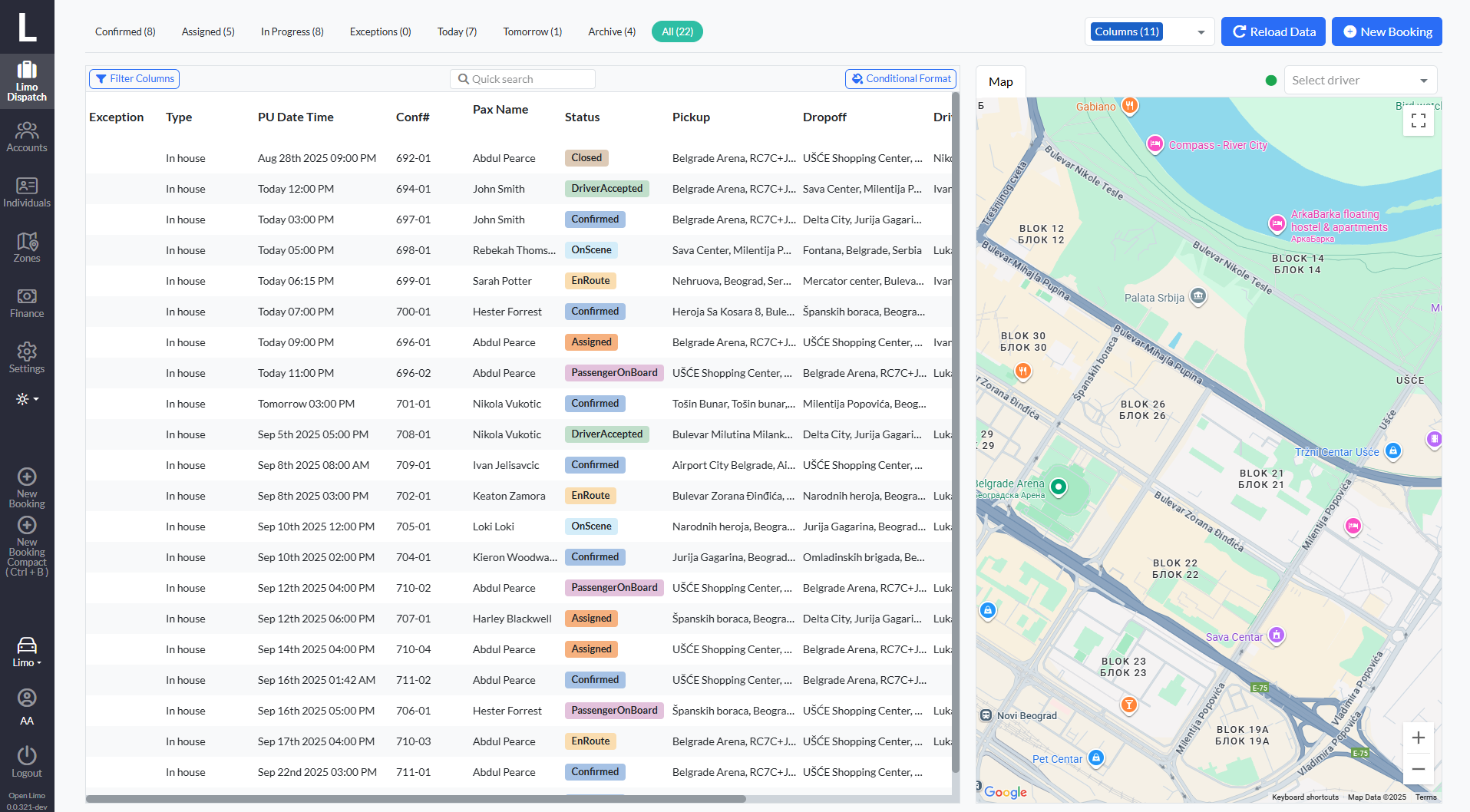
❝ We'd really like the dispatch screen to be more compact. That way we can see all the key details at a glance without wasting time clicking around. We'd also like the entire rows to be color-coded based on the booking status, so it's easier for us to spot and prioritize rides quickly.
Before
After
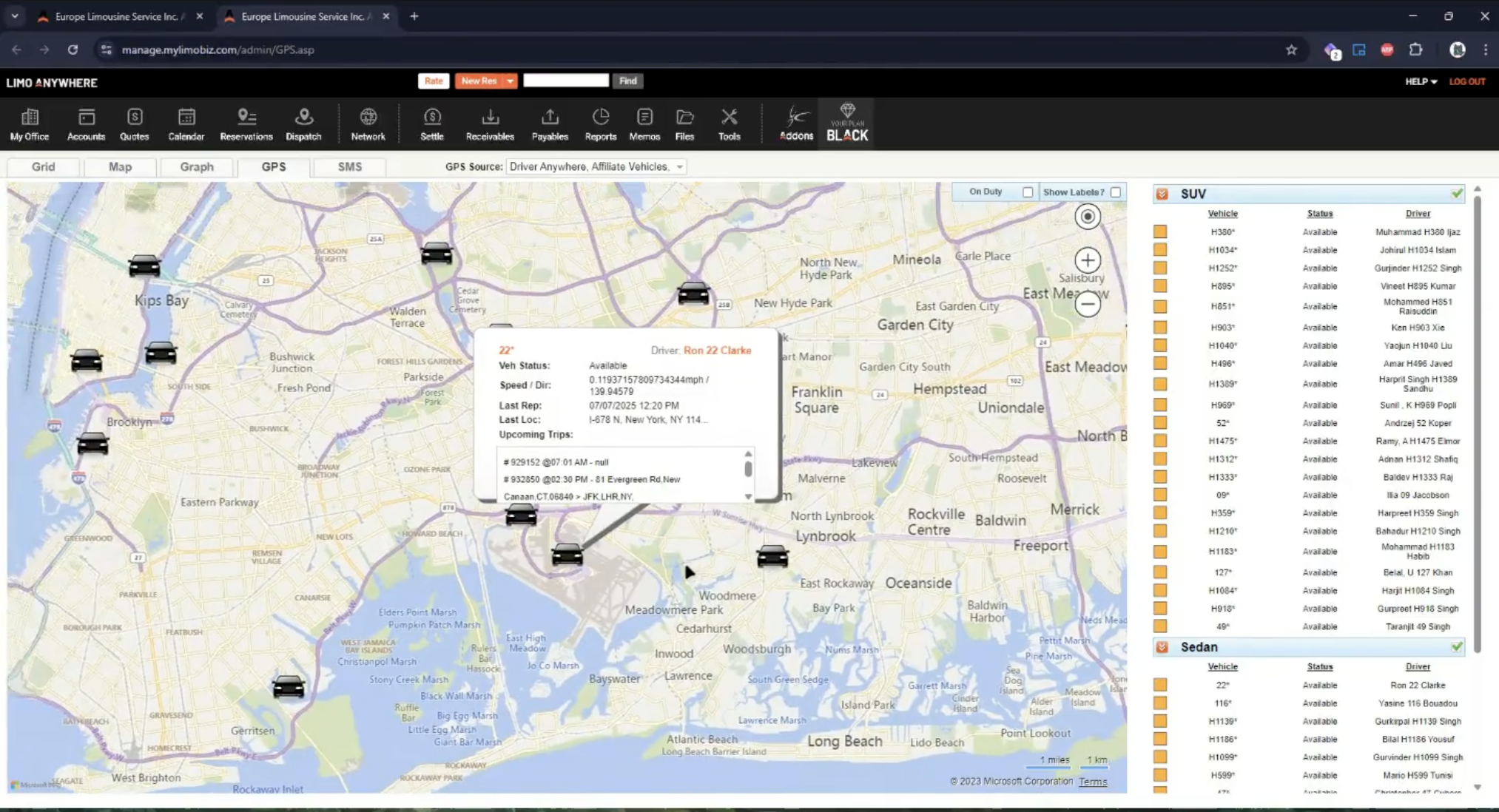
❝ As a dispatcher, I would really like to see all drivers displayed live on a map. That way I always know exactly where everyone is, and I can quickly identify who is the closest driver for a new pick-up request. It would also help me notice if a driver hasn't moved for a while, which could mean they are stuck in traffic or on a busy street. Having this visibility would make assigning jobs faster and give me a better sense of what's happening out on the road.
Before
After
❝ The filters work, but they need to be more simple. Arranging and applying filters should be faster so we can reach the right bookings without losing time during peak hours.
Before
After
VALIDATION
After testing and demonstrating the new design to call center agents and dispatchers, we received overwhelmingly positive feedback about the improvements to their daily workflow.
"The screens are so clear and intuitive now! I can smoothly navigate to customer details without clicking through multiple windows."
Dispatcher
"Being able to call drivers directly from the interface and see their real-time location is a game changer."
Call Center Agent
"The moving cars on the map are brilliant! I can immediately see if a driver is stuck in traffic."
Senior Dispatcher
"Having alerts whenever the reservation team makes a change is really important, because that way we don't miss anything and avoid mistakes with rides."
Operations Manager
"It's really useful to see if a flight is delayed, because there are so many bookings going to and from the airport."
Fleet Coordinator
"Ability to see all drivers together on a single map, making it easy to monitor their locations and coordinate operations in real time."
Customer Service Lead
FINAL DESIGN
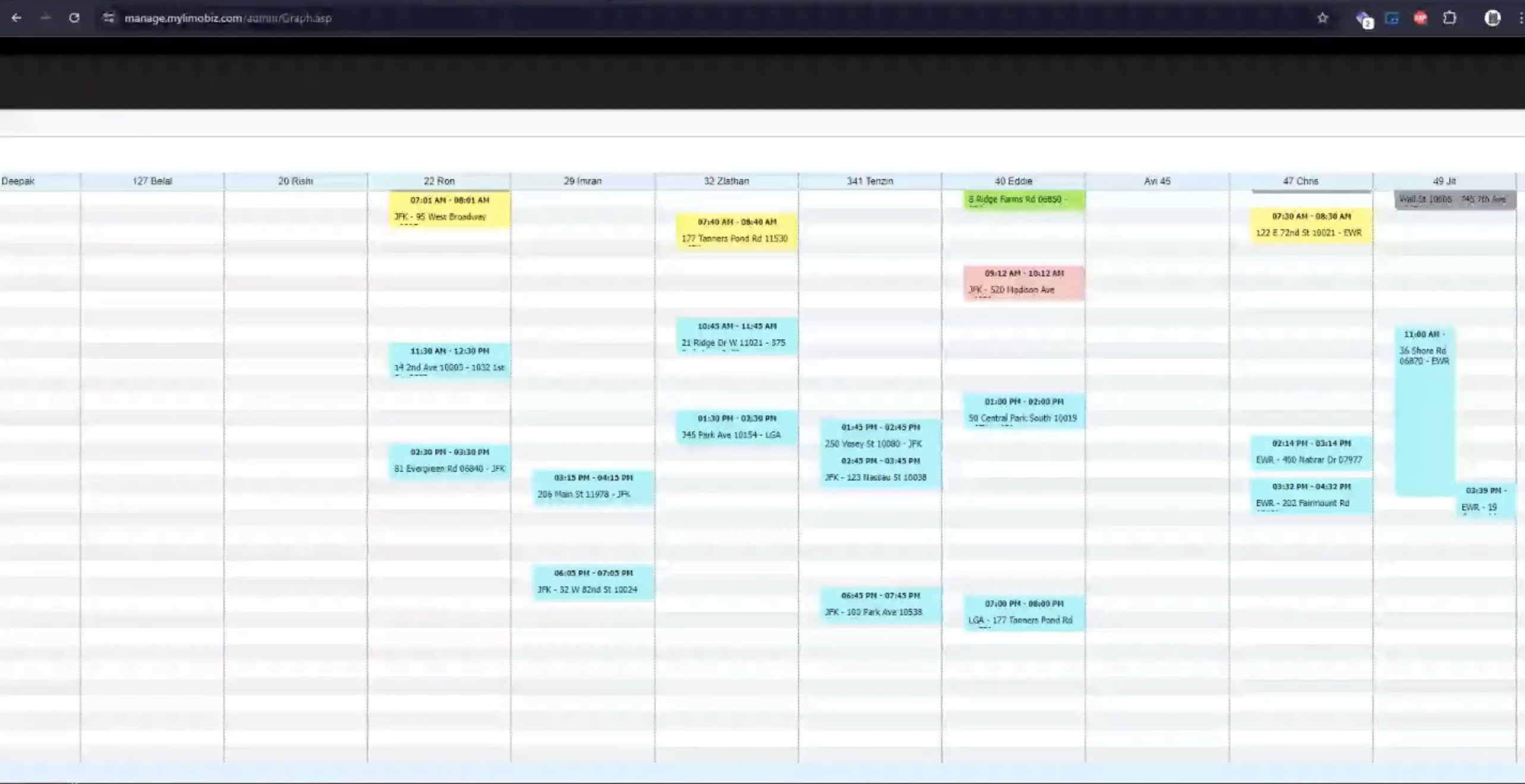
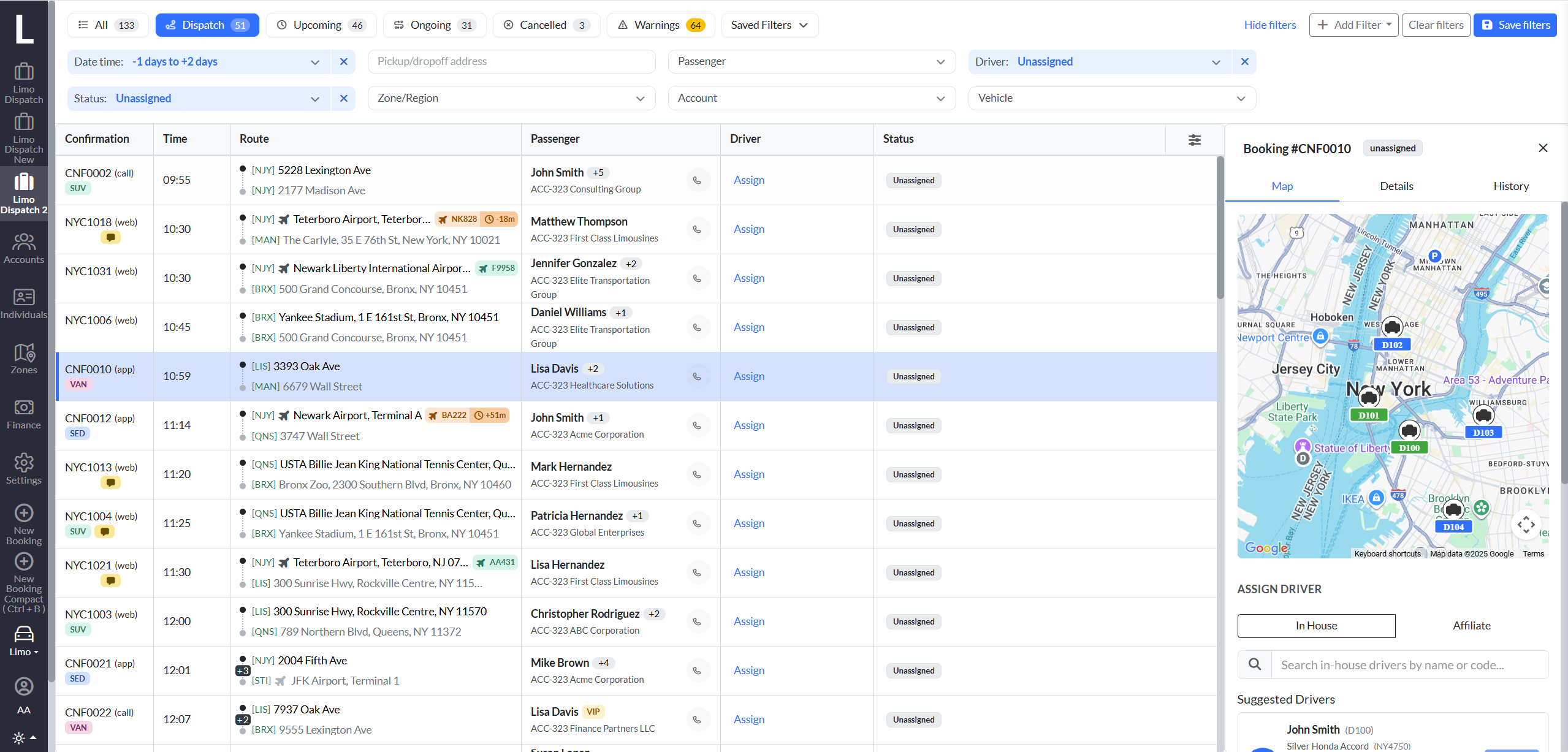
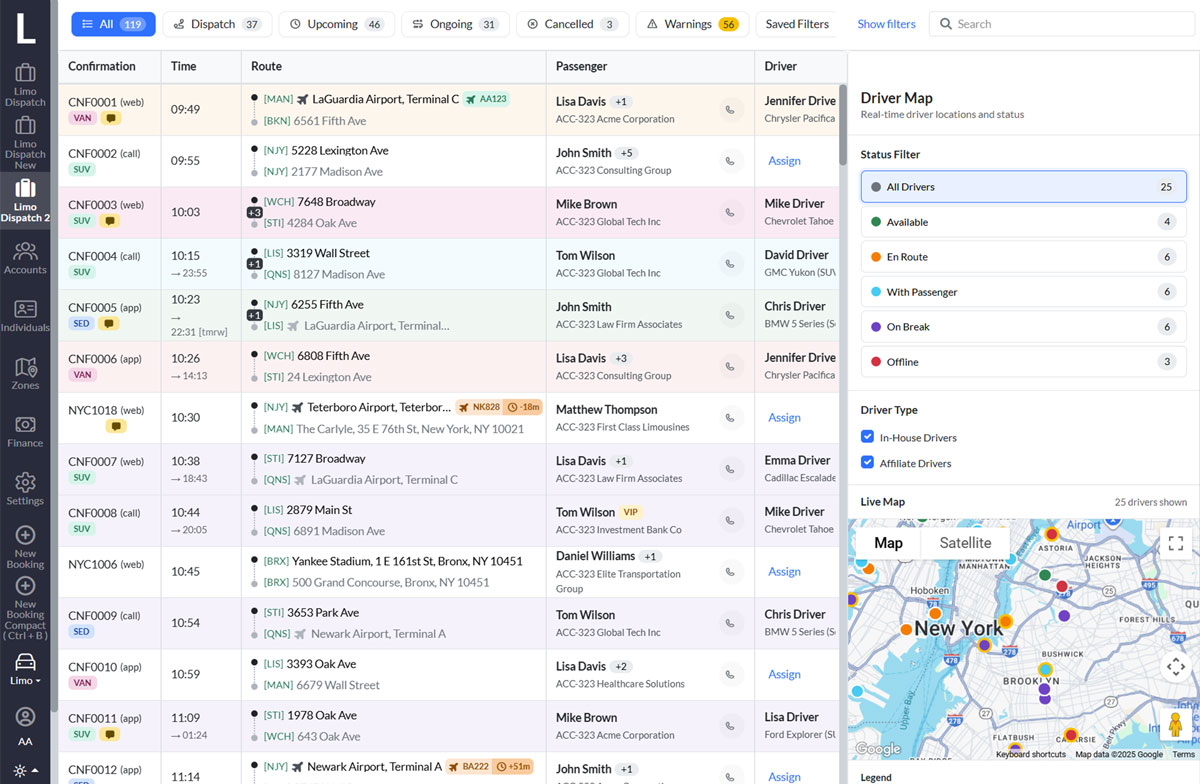
The dispatch screen is the nerve center of day-to-day operations. It consolidates all active, upcoming, and at-risk bookings into one real-time view, so dispatchers can make quick, informed decisions without flipping between systems.
By keeping trips on schedule and reacting to incidents quickly (no-shows, cancellations, delays), the dispatch screen ensures passengers get reliable service.
Instead of juggling spreadsheets, phones, and maps, dispatchers have one screen that unifies scheduling, routing, and communication. This reduces errors, lowers stress, and allows a single dispatcher to manage more bookings effectively.
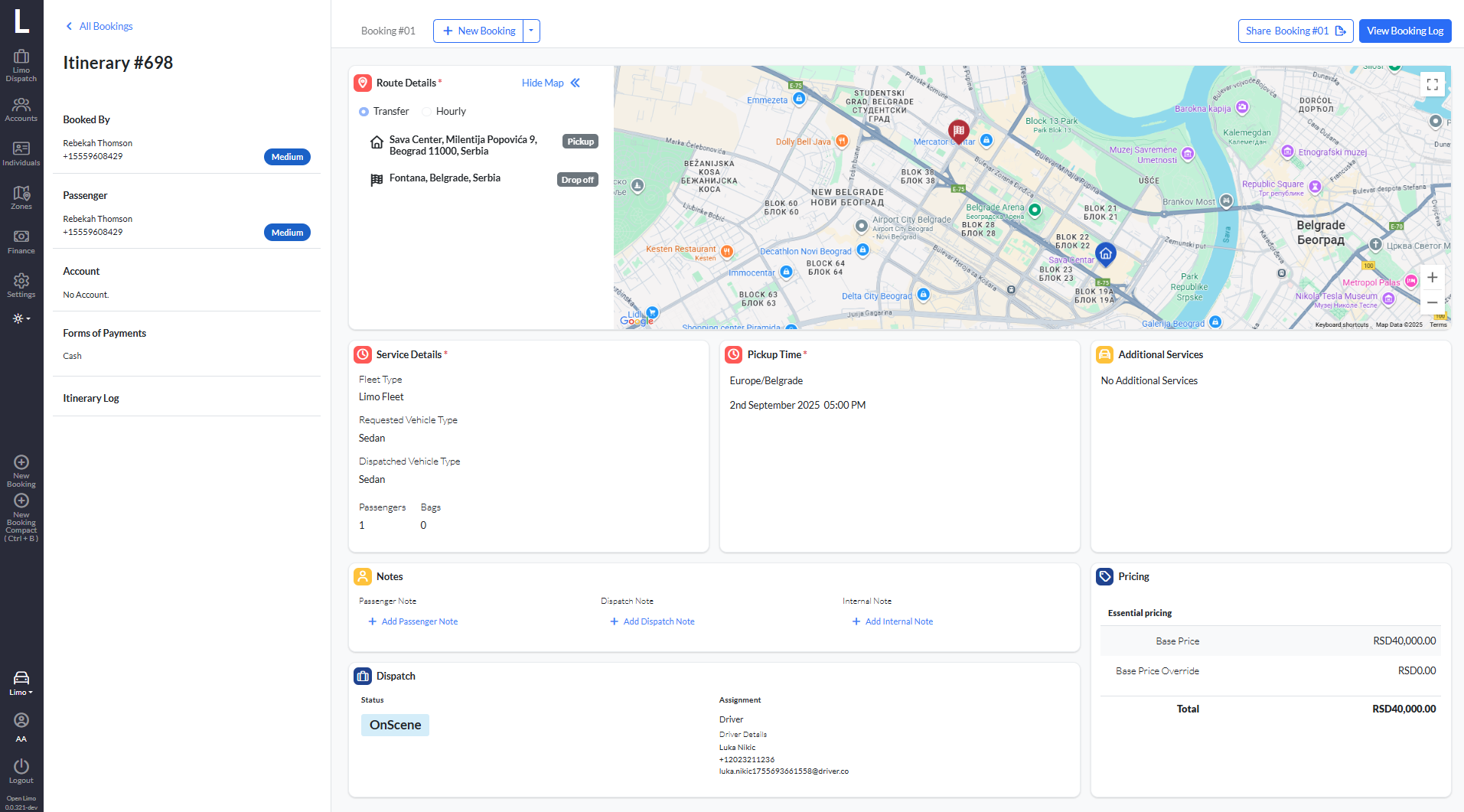
The booking screen contains several widgets and during the design process we decided to re-design main visual containers in order to make booking screen more compact, since it's important for the user to have all information shown without scrolling.
During initial research around booking process, we found out that users of current systems switched between multiple viewports across different contexts. They were looking for exact location on a map on a different screen which was error-prone and exhausting when doing repetitive reservations. We decided to integrate map into booking process and to make common locations accessible through dropdown menus on a map, in a Google-Maps manner. The map feature proved to be a tremendous improvement over the current booking process when we tested the application with real users.
Web platform enabling passengers to book rides effortlessly without the need for calling reservation agents. Client of our software can add customer web booker on their websites and smoothly use. Users can input their pickup and drop-off locations, select the desired date and time, choose a vehicle type, and complete the booking and payment process entirely online.
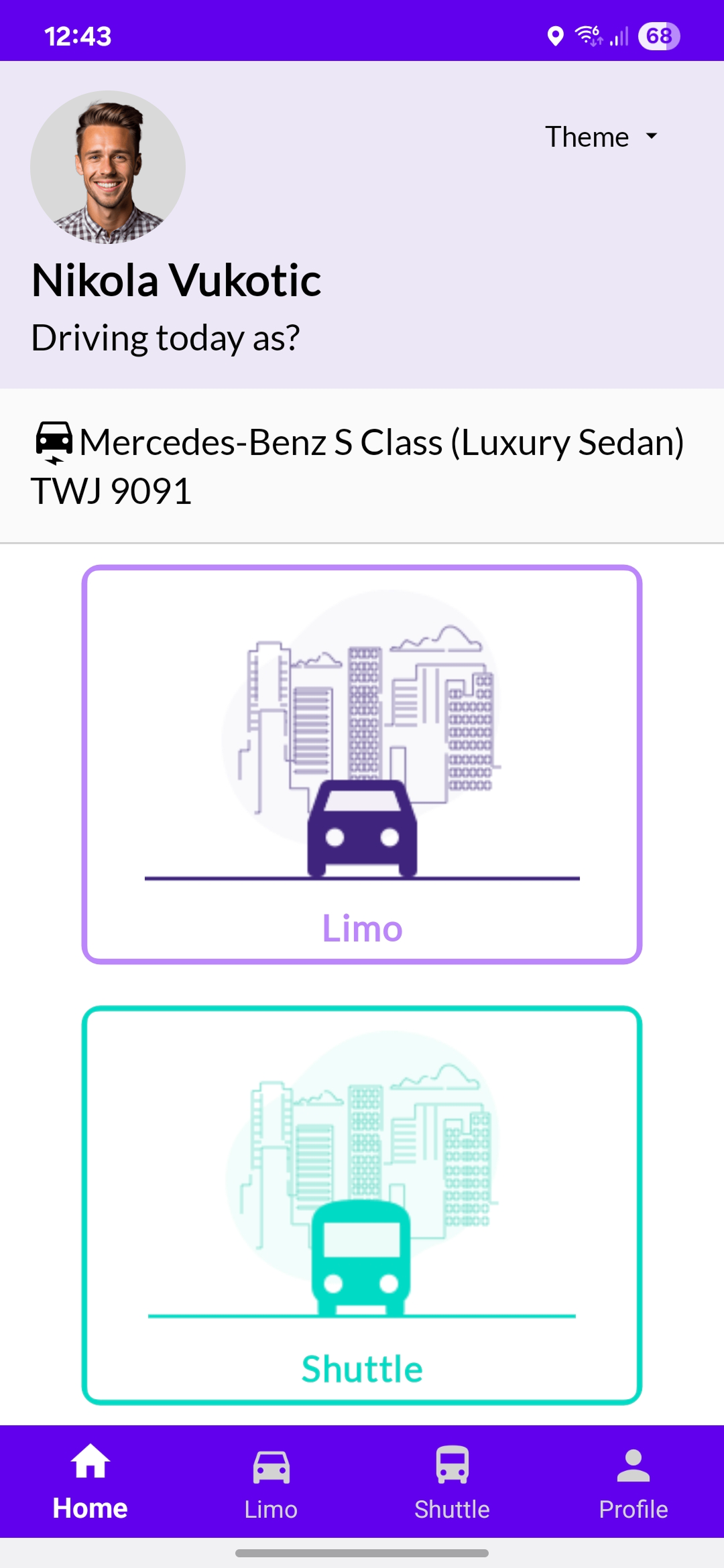
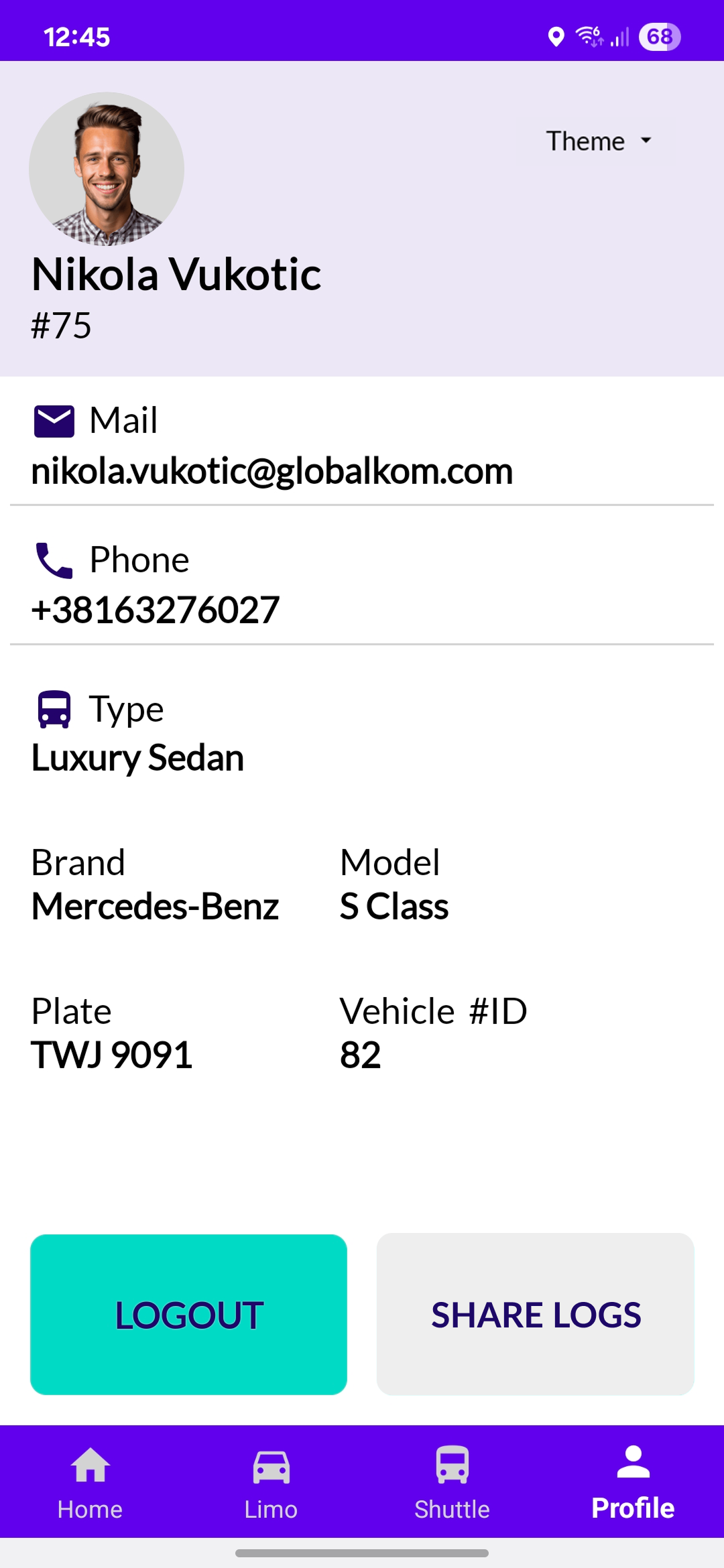
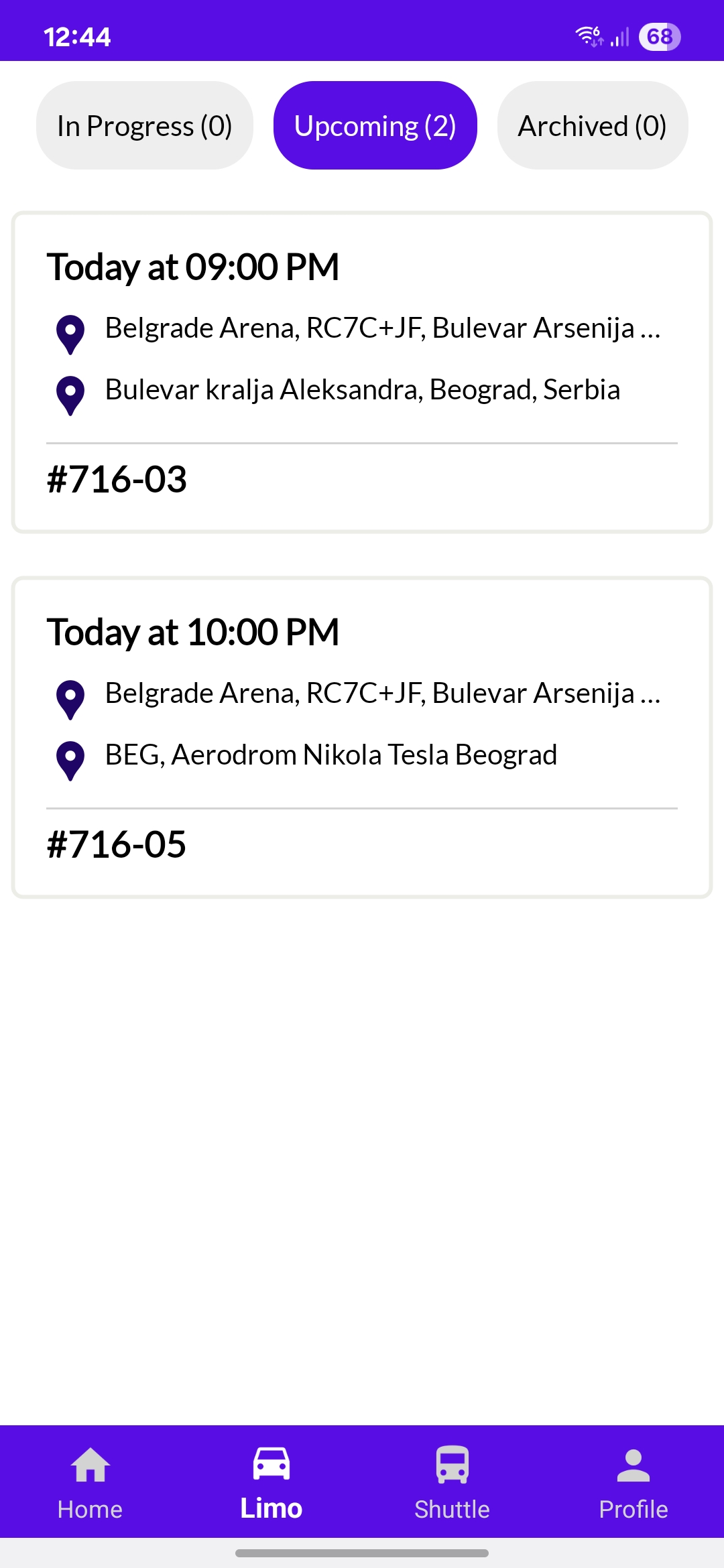
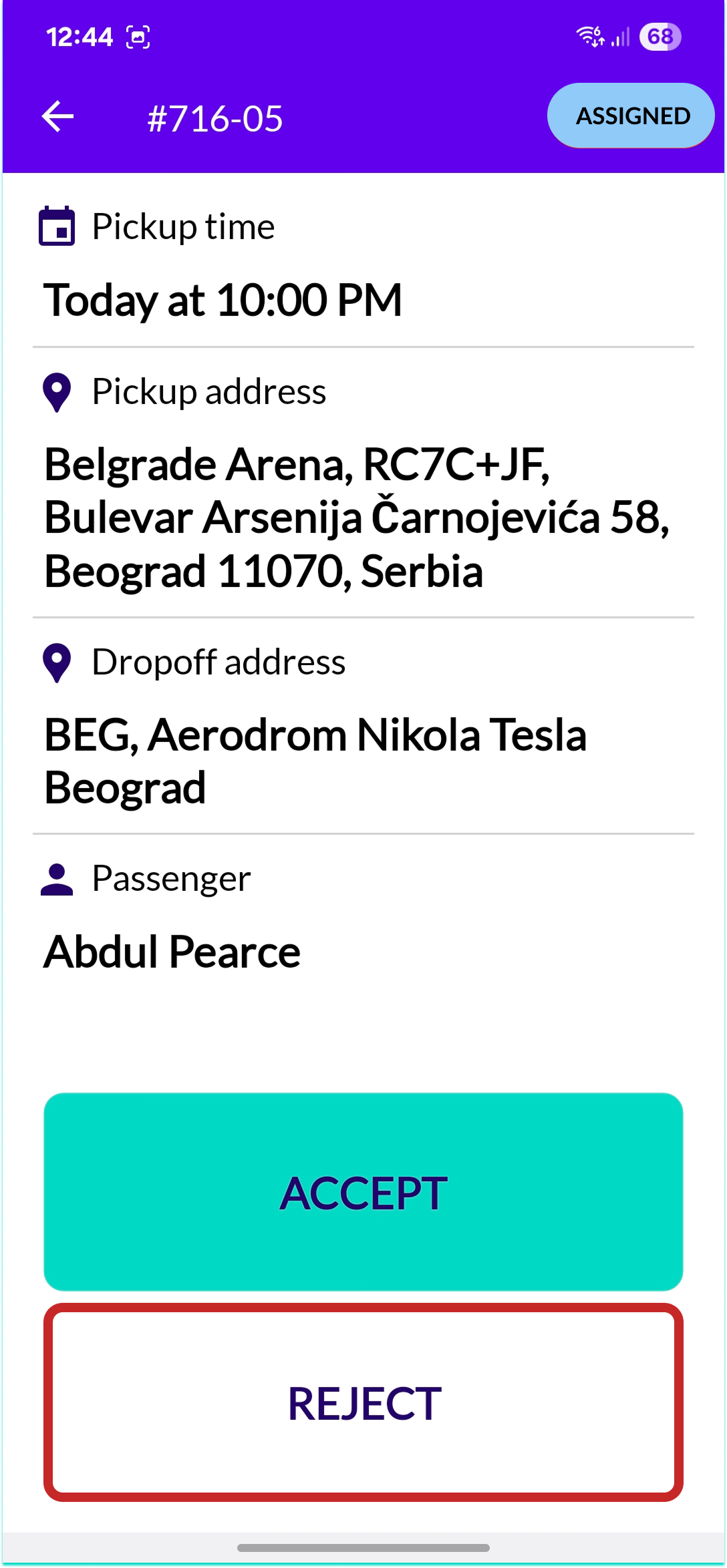
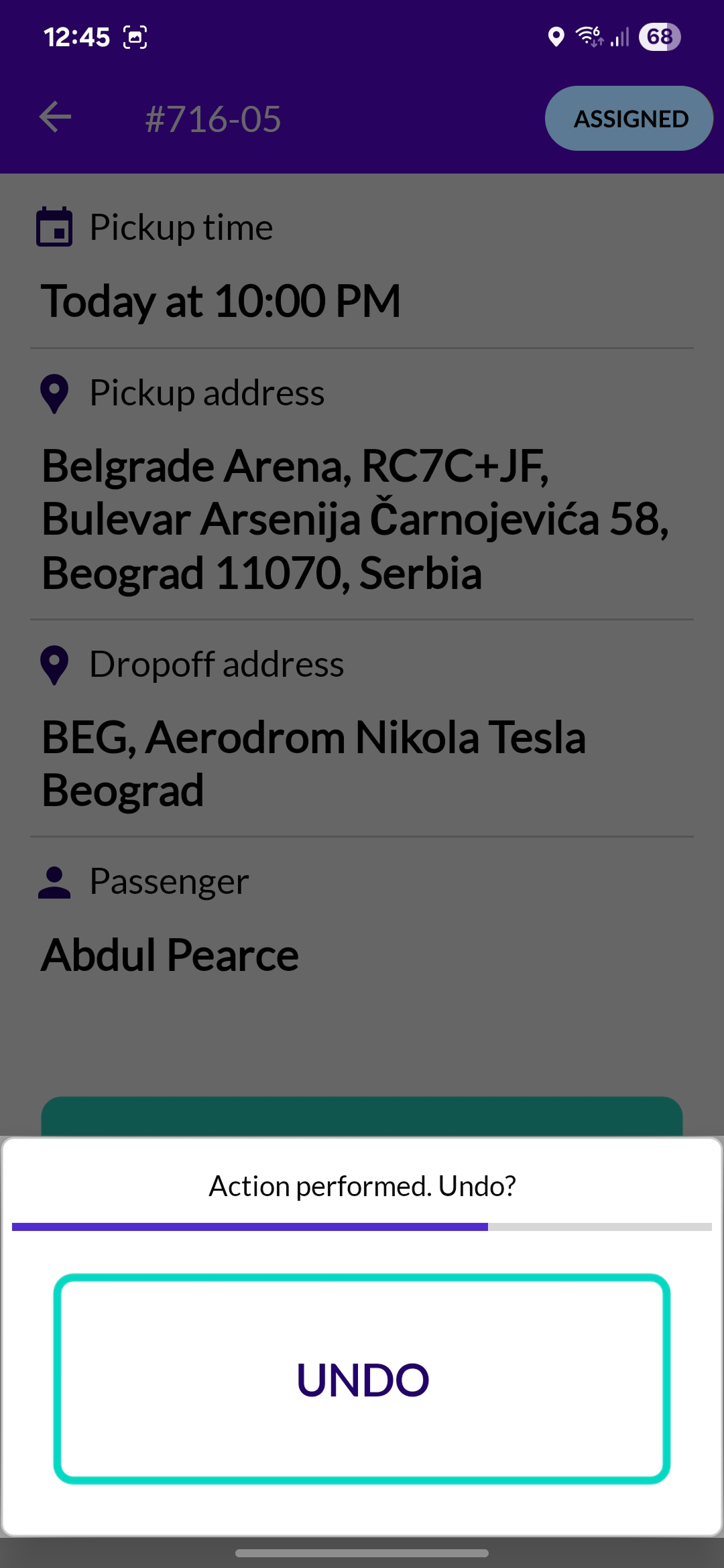
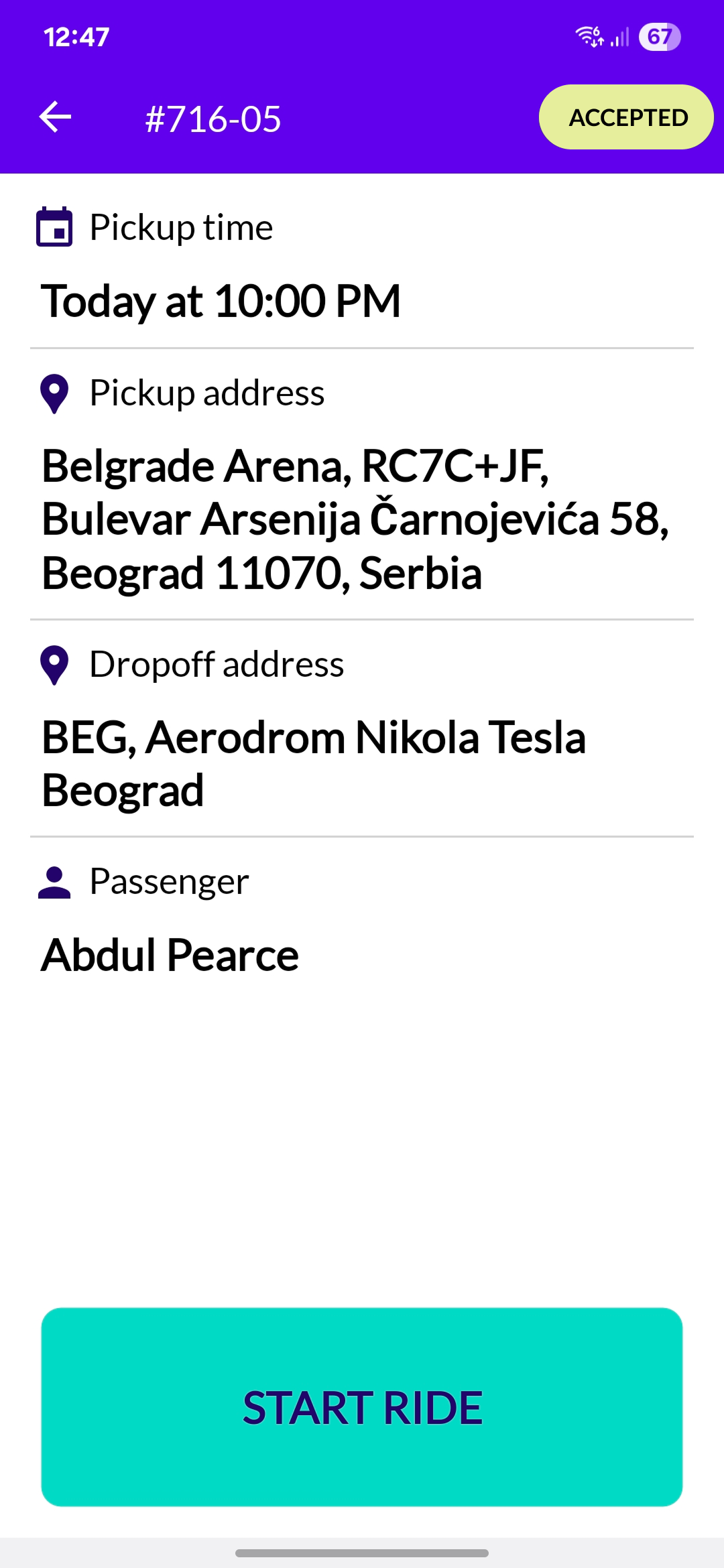
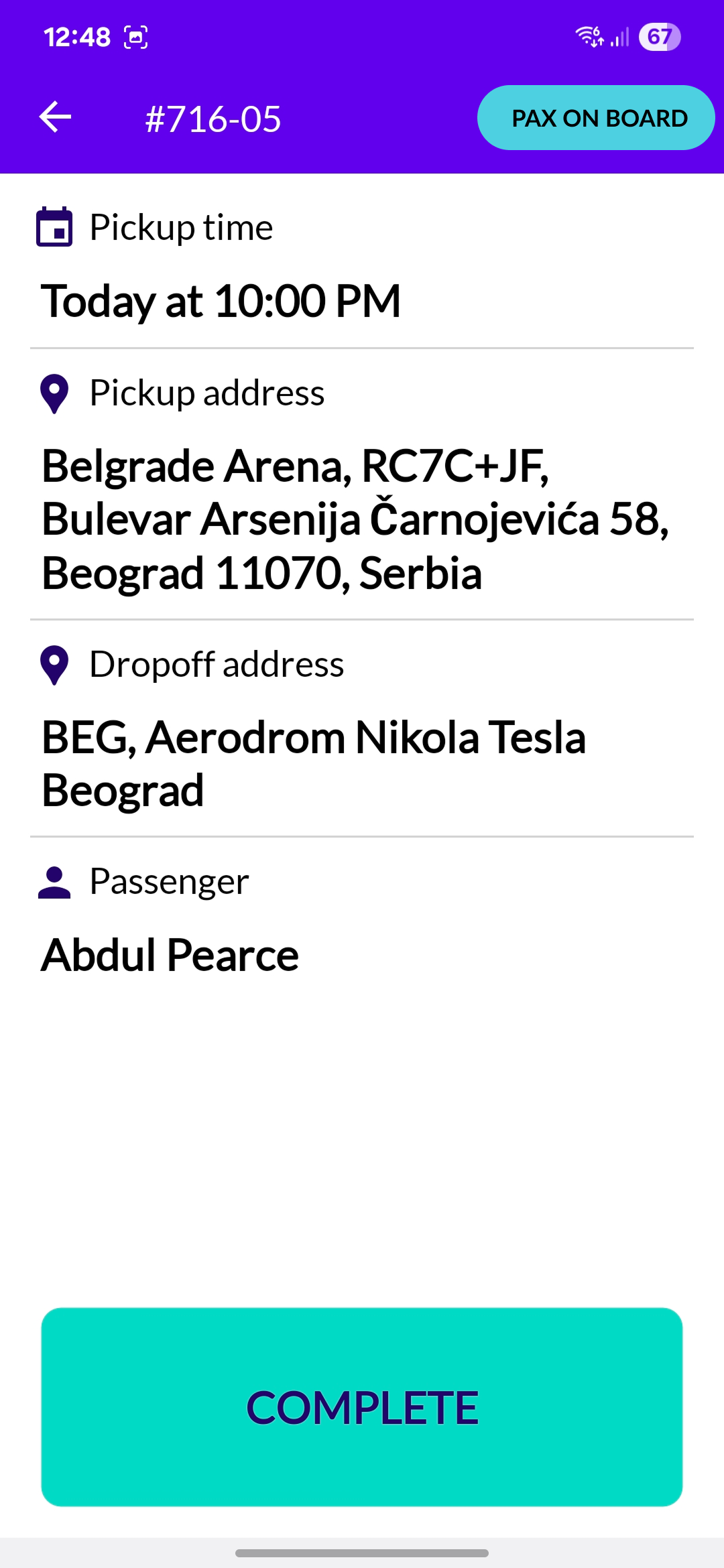
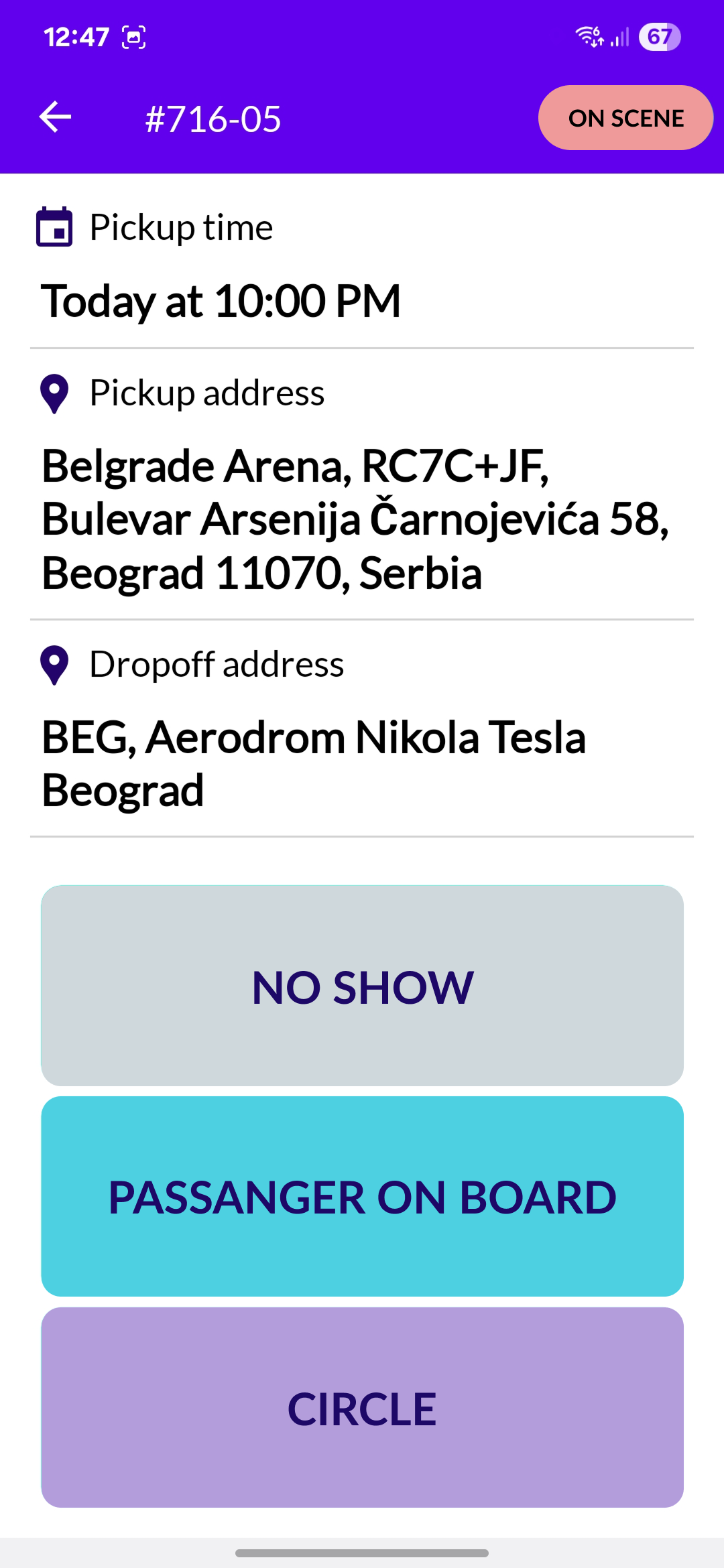
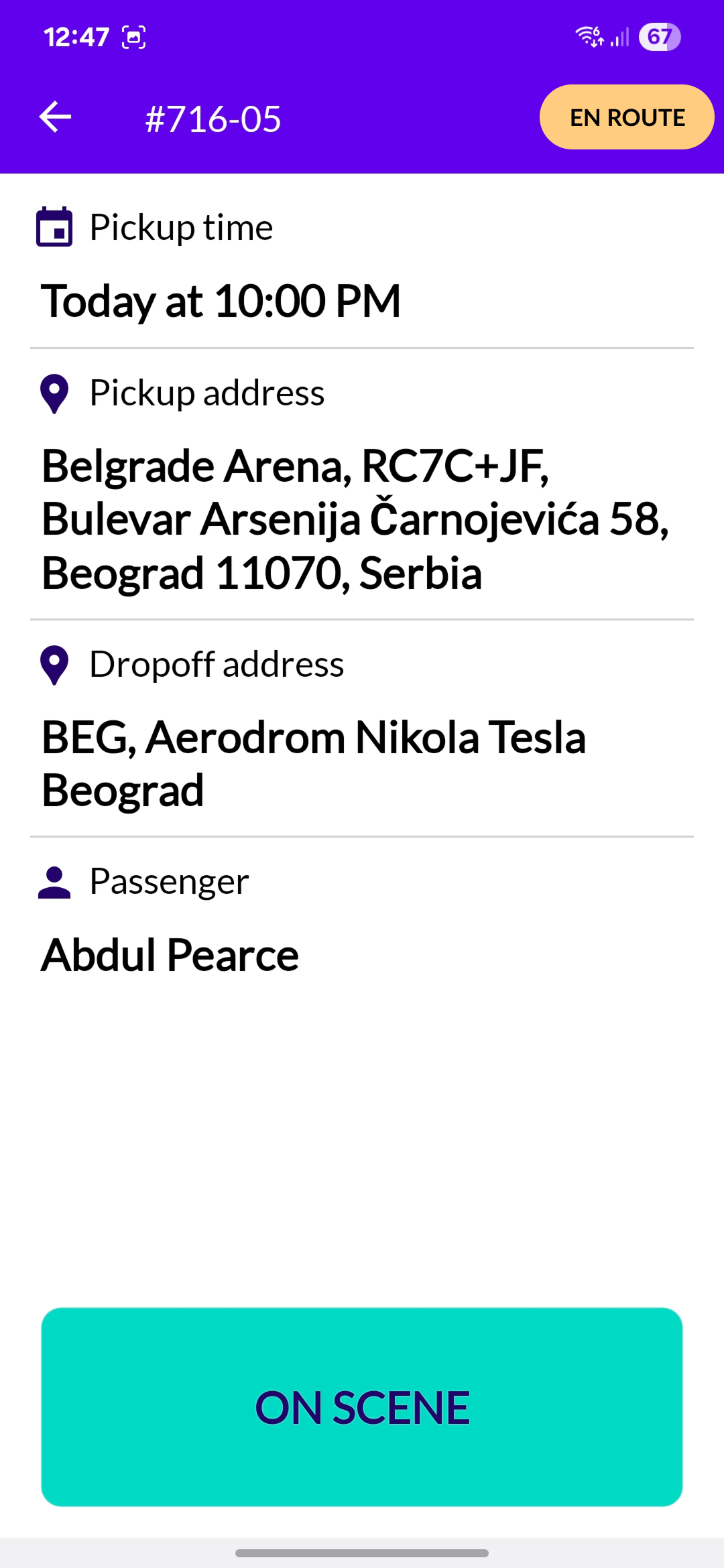
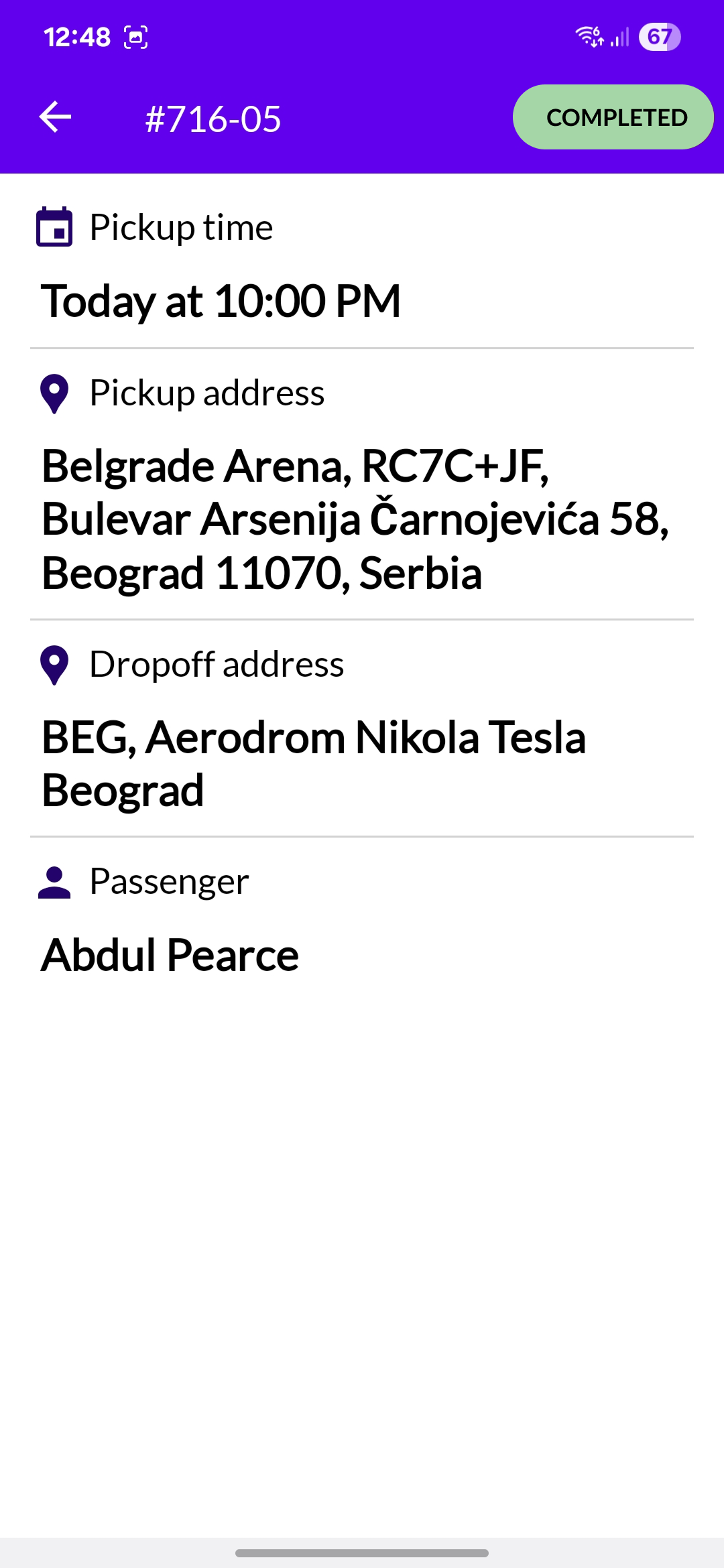
The Driver Mobile App was designed as part of the OpenLimo to give drivers a simple, safe, and effective way to handle ride assignments. With the app, drivers receive real-time notifications when they are offered a job and can quickly accept or reject the ride. Once a ride is accepted, they can view all the important details such as pickup location, passenger information, and confirmation numbers. The app also provides clear visibility into the different ride statuses, such as when a ride is confirmed, in progress, or completed.
The main challenge was to design an interface that drivers could use safely while on the road, where distraction and poor readability could create serious risks. To address this, the design process was guided by Google's "Design for Driving" documentation and the Material Design system. These resources provided visual principles and best practices tailored for driving scenarios.
Minimum 48dp touch targets to prevent accidental taps while driving
Optimal readability in bright sunlight and night driving conditions
LOOKING BACK
It's advisable to work hand-in-hand with developers to speed up development
We learned to get feedback as early as possible to remove uncertainties and ambiguities
This project helped me grow not only design skills but also systems thinking
The importance of documenting design decisions (in Confluence/Notion) so all team members understand the why

UP NEXT
Explore my next case study on designing enterprise HR software for the call center industry