My Role & Impact
Tools Used
Project Summary
Design Process
Research
Market Research
Validation
Backoffice Portal
Employee Portal
Client Portal
Design Handoff
Design System
Outcome & Impact
Reflection
Top

HR Software Suite
for the Call Center Industry

My role UX | UI Designer
Involvement 2024-2025
Industry HR
Team size 8
HR Software Interface

MY CONTRIBUTION

My Role and Impact

💬

Interviews & requirements gathering

📋

Usability testing

📐

Wireframes & user flows

🎨

High-fidelity UI design

🔧

Design system

📊

C-Level presentations

👥

Developer handoff & support

TECHNOLOGY STACK

Tools Used

Sketch

Sketch

Figma

Figma

Illustrator

Illustrator

Claude

Claude

ChatGPT

ChatGPT

Jira

Jira

Notion

Notion

OVERVIEW

Project Summary

Product Overview: HR Software Suite for the Call Center Industry

The HR Software Suite is a robust, enterprise-level digital platform developed for a company operating large-scale call centers. It streamlines and automates HR, operational, and client-facing workflows through three core components:

HR Suite
Back Office

Back Office

For internal administrative operations - managing workforce, payroll, scheduling, and all HR processes

Client Portal

Client Self-Service Portal

For clients of the company managing their employees - monitoring performance, employee data, finance transparency and work scheduling.

Employee Portal

Employee Self-Service Portal

For internal employees managing their own schedules and personal information - time-off requests and updates

Project Goals

Project Goals

The goal of this project was to design an integrated suite of applications that streamline back-office administration, empower clients with transparent performance insights, and provide call center employees with intuitive tools.

METHODOLOGY

Design Process

Understand

Research

Analyze

Design

User testing

Presentation

PROBLEM DISCOVERY

Workflow Gaps

As the company grew to over 400+ employees, the daily workload for finance, administration, and managing teams became overwhelming. Manual processes led to frequent mistakes, duplicated work, and inefficiencies. The company needed a centralized software solution to manage all employee information, contracts, salaries, vacations & sick leaves, while also tracking company expenses and invoices in one reliable system.

Overworked Employee

USER RESEARCH

User Interviews

To gain a better understanding of user needs, I conducted user interviews. I spoke with users to explore their daily workflows, identify pain points, and uncover moments where they were losing time and effort. During these sessions, I gathered detailed notes on their challenges and frustrations, as well as insights into what was working well. Based on these findings, I began outlining potential solutions that could improve their efficiency, reduce repetitive tasks, and create a smoother overall experience.

Finance Manager

Pain Points

"Payroll is managed in Excel sheets — too much manual entry leads to mistakes."

"Invoices are sent via email, and sometimes they get lost."

"It's hard to track company-wide expenses in one place."

"No real-time financial reporting makes it hard to make quick decisions."

Solution

Centralized salary & payroll module connected to the employee database.

Automated invoice tracking system with alerts for unpaid or overdue invoices.

Automated process that allows payroll management and solving exceptional cases.

Real-time financial analytics with predictive insights and trend analysis.

HR Administrator

Pain Points

"I track vacations and sick leaves through email and chat messages — it's chaotic."

"Employees forget to attach documents for sick leave, and I have to chase them."

"It's easy to miss contract expiration dates and performance review deadlines."

"Onboarding and offboarding employees takes days with all the manual paperwork."

Solution

Integrated leave management system: employees can submit requests and upload documents directly.

Automated reminders for contract expirations and performance reviews.

Module for performance review which will make process better for operation teams and employees.

Integrated document management system.

Operations Coordinator

Pain Points

"Scheduling is manual and time-consuming, especially with 400+ employees."

"Hard to get a quick overview of who is available, on leave, or on sick days."

"Collaboration with HR and Finance is slow because we work in different tools."

"Training schedules are a nightmare to coordinate with multiple shifts."

Solution

Smart scheduling tool that auto-matches employee availability with business needs.

Shared calendar view showing shifts, absences, and contract status across departments.

Cross-team dashboards to align HR, Finance, and Operations in real time.

Integrated training management system with automatic scheduling and certification tracking.

COMPETITIVE ANALYSIS

Market Research

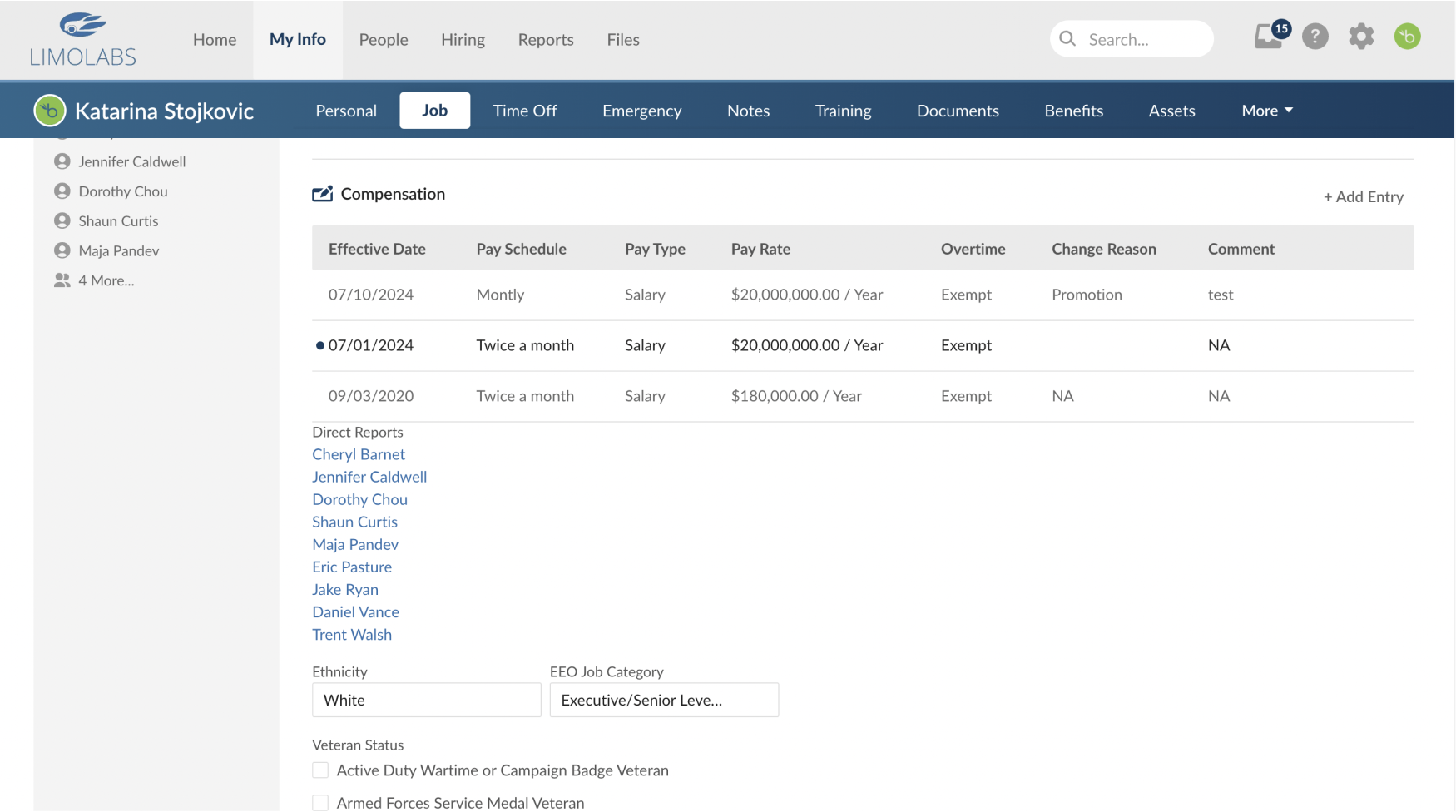
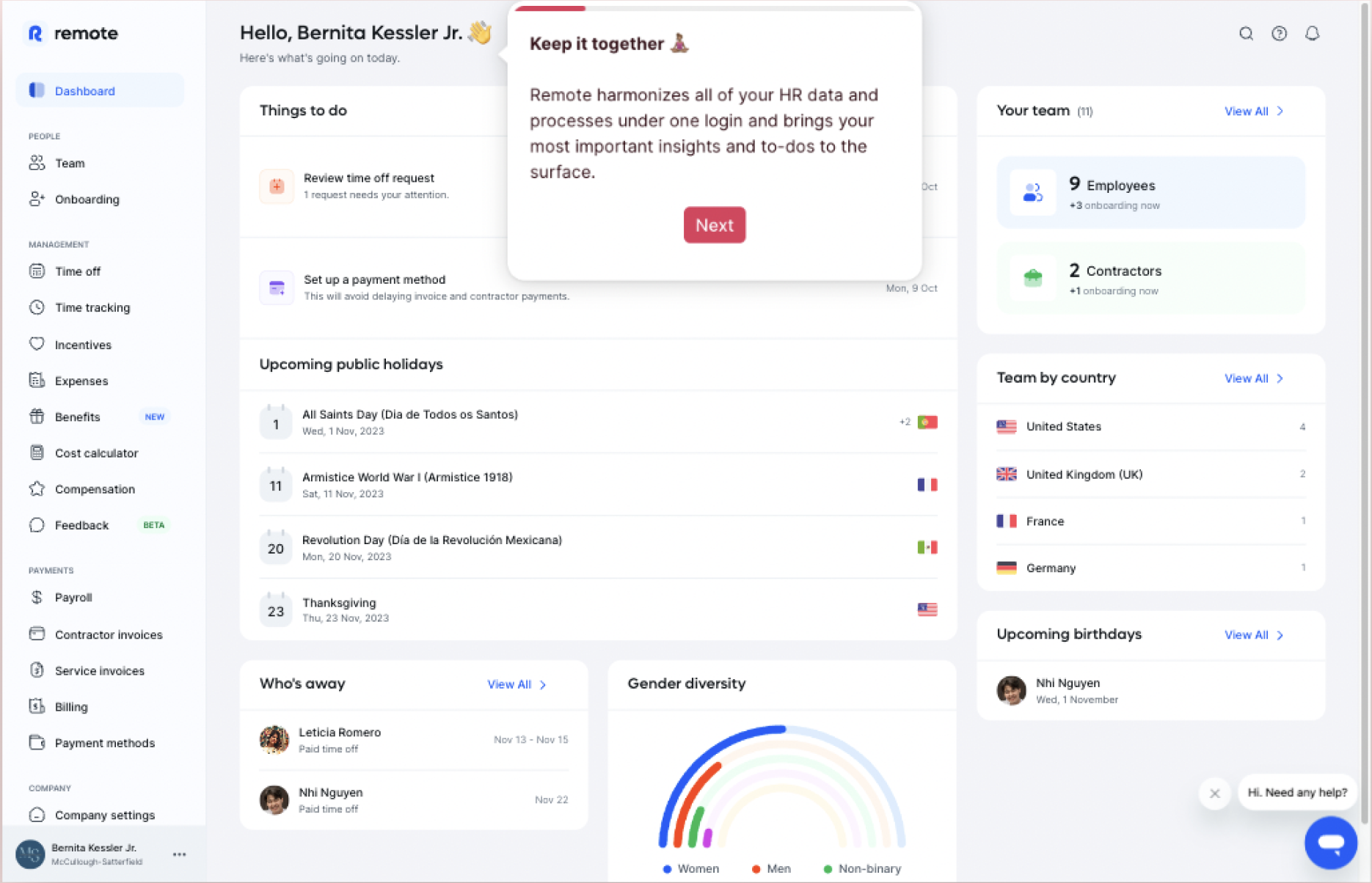
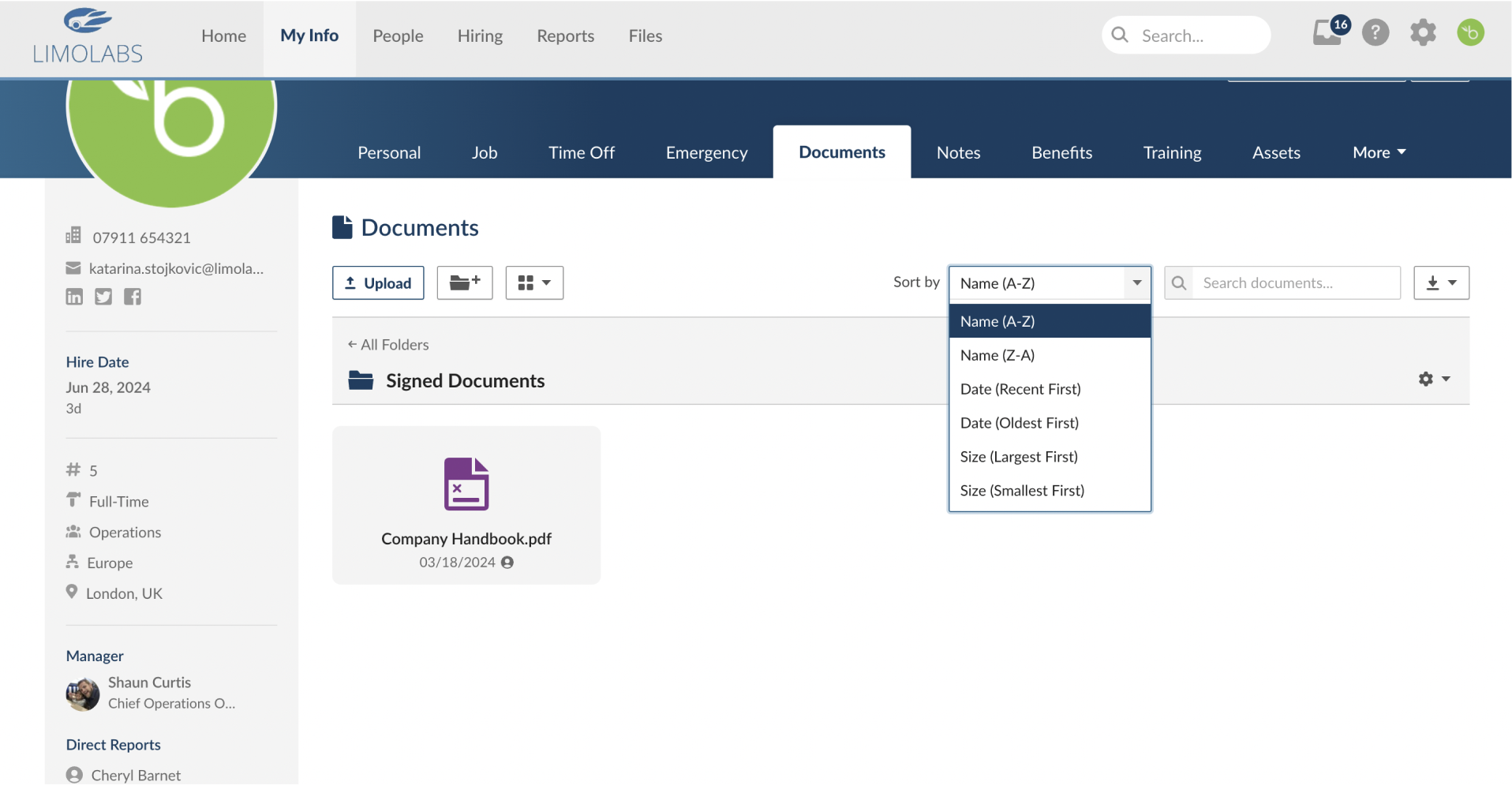
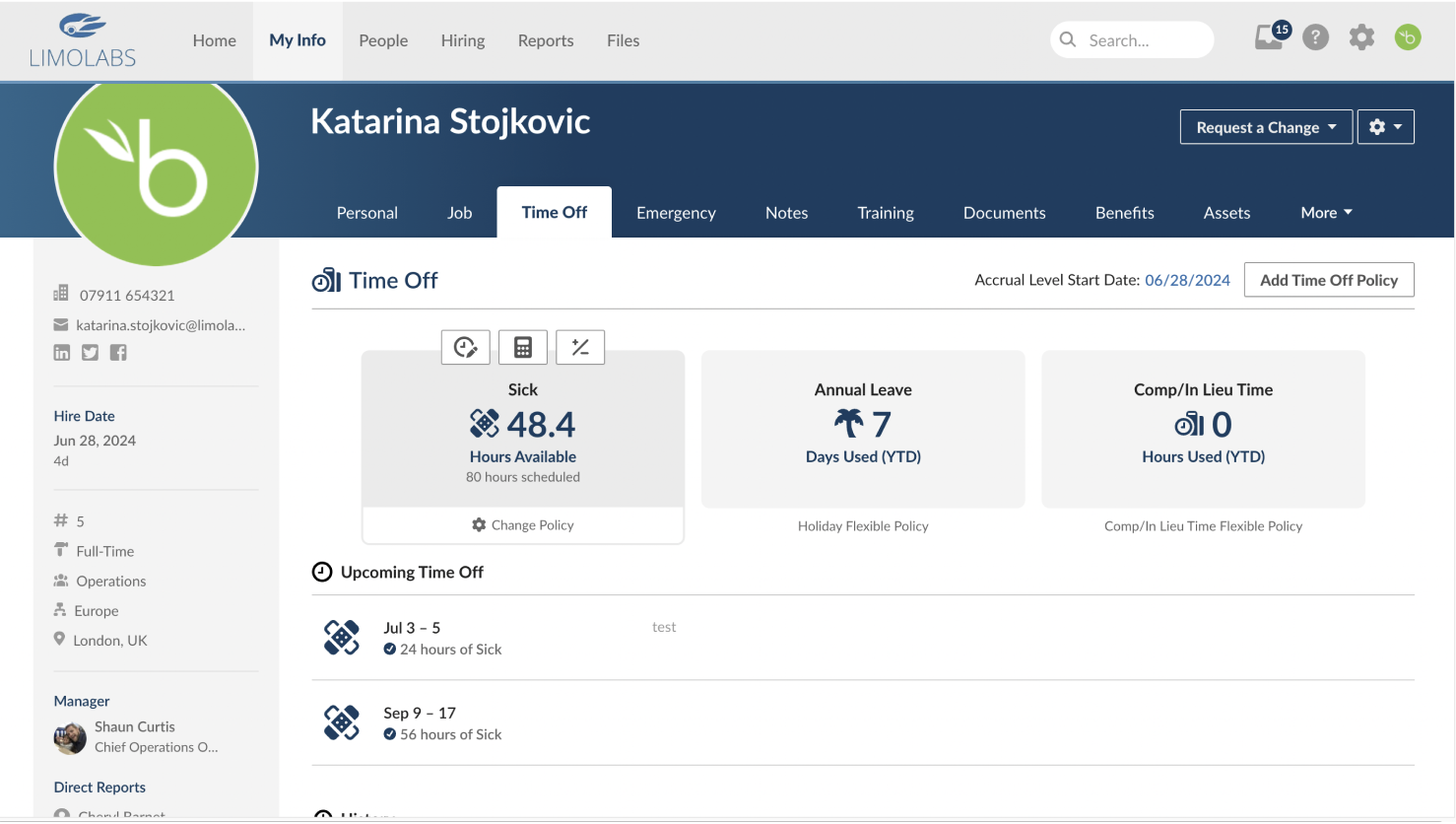
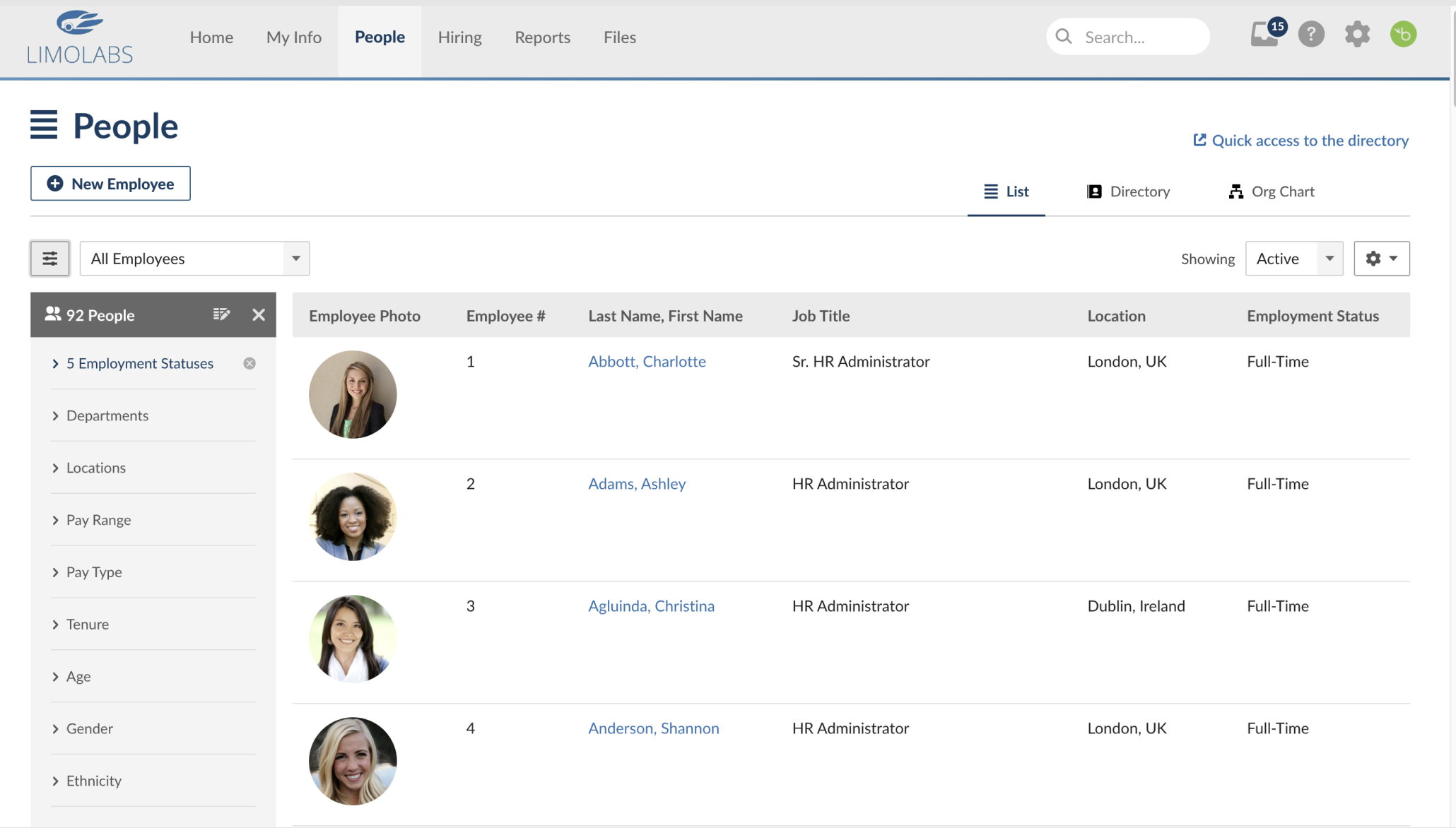
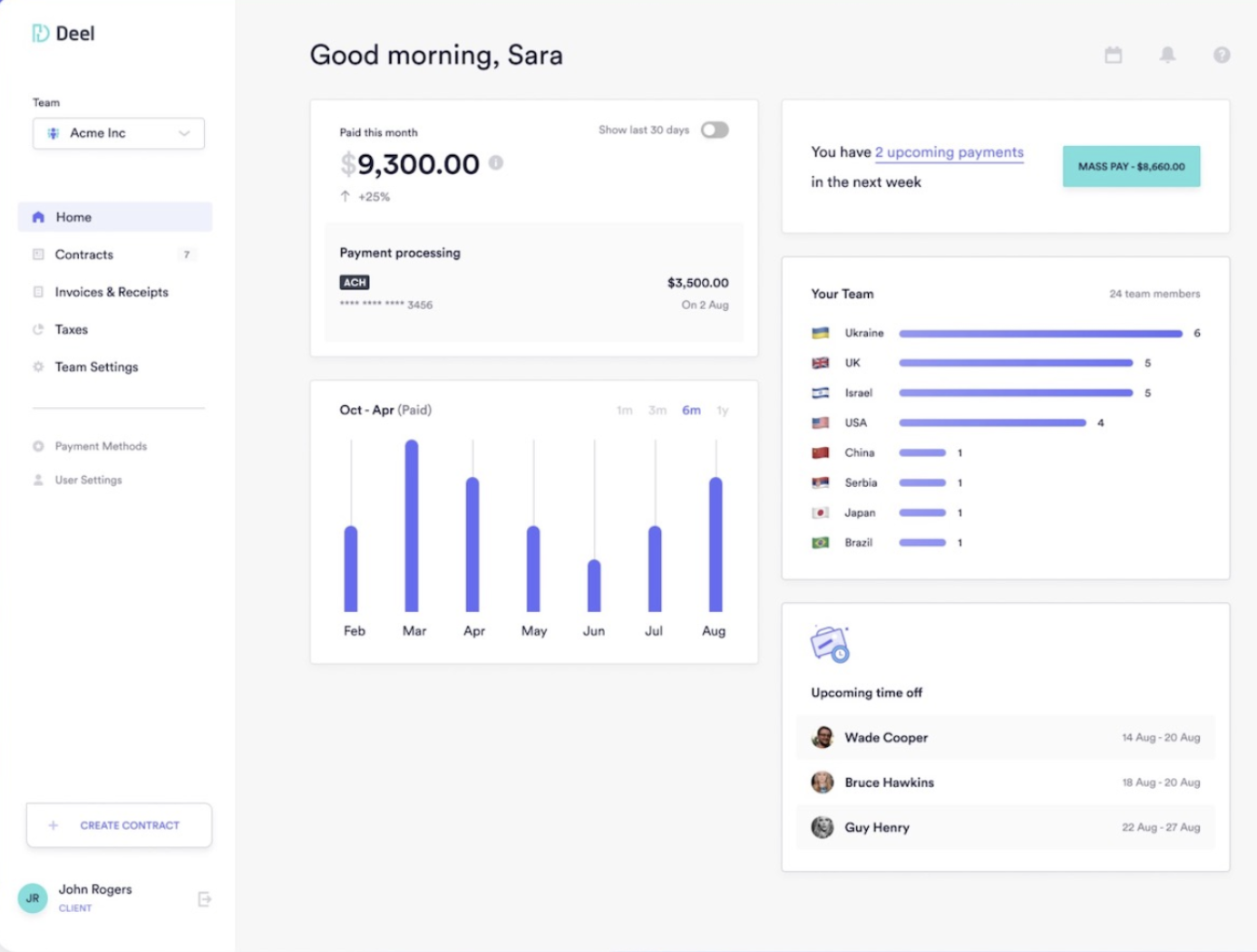
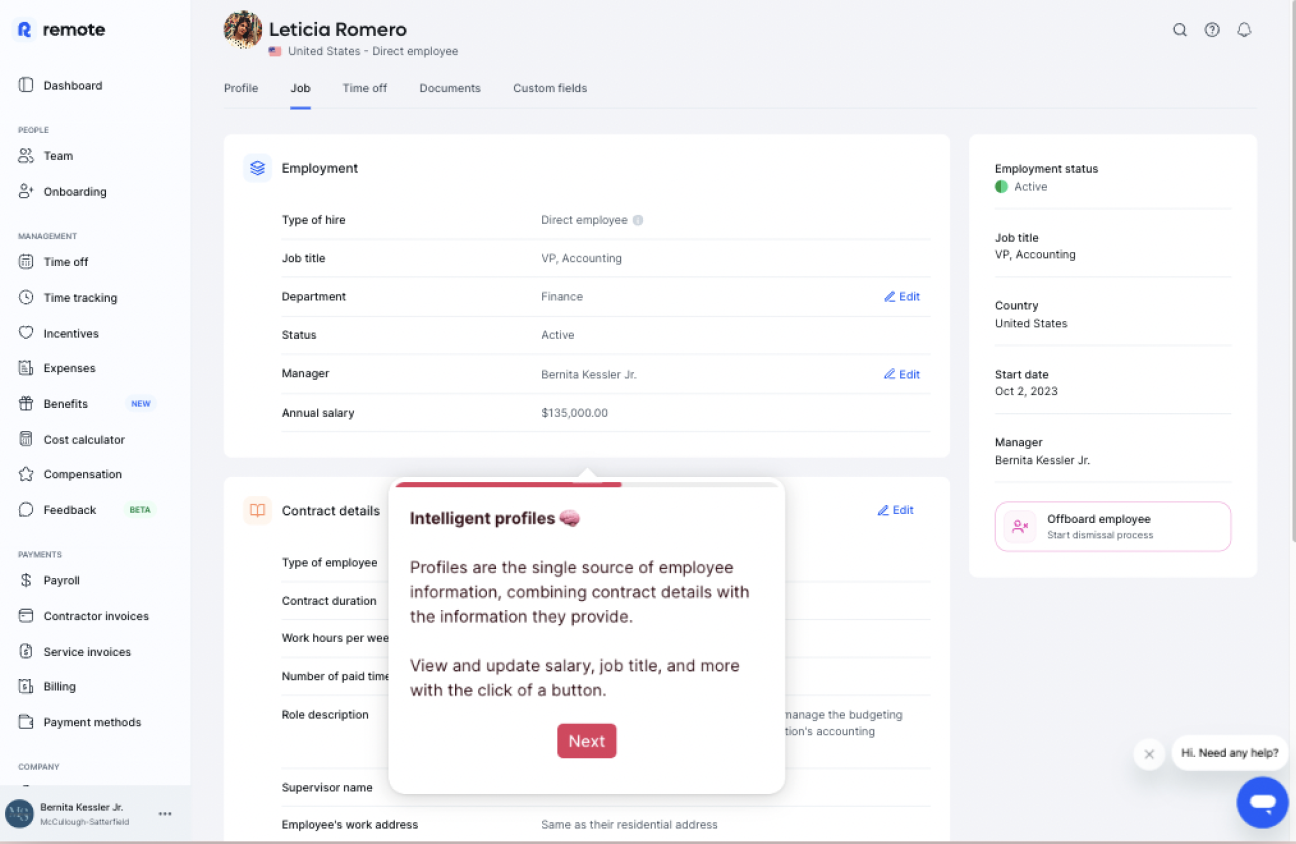
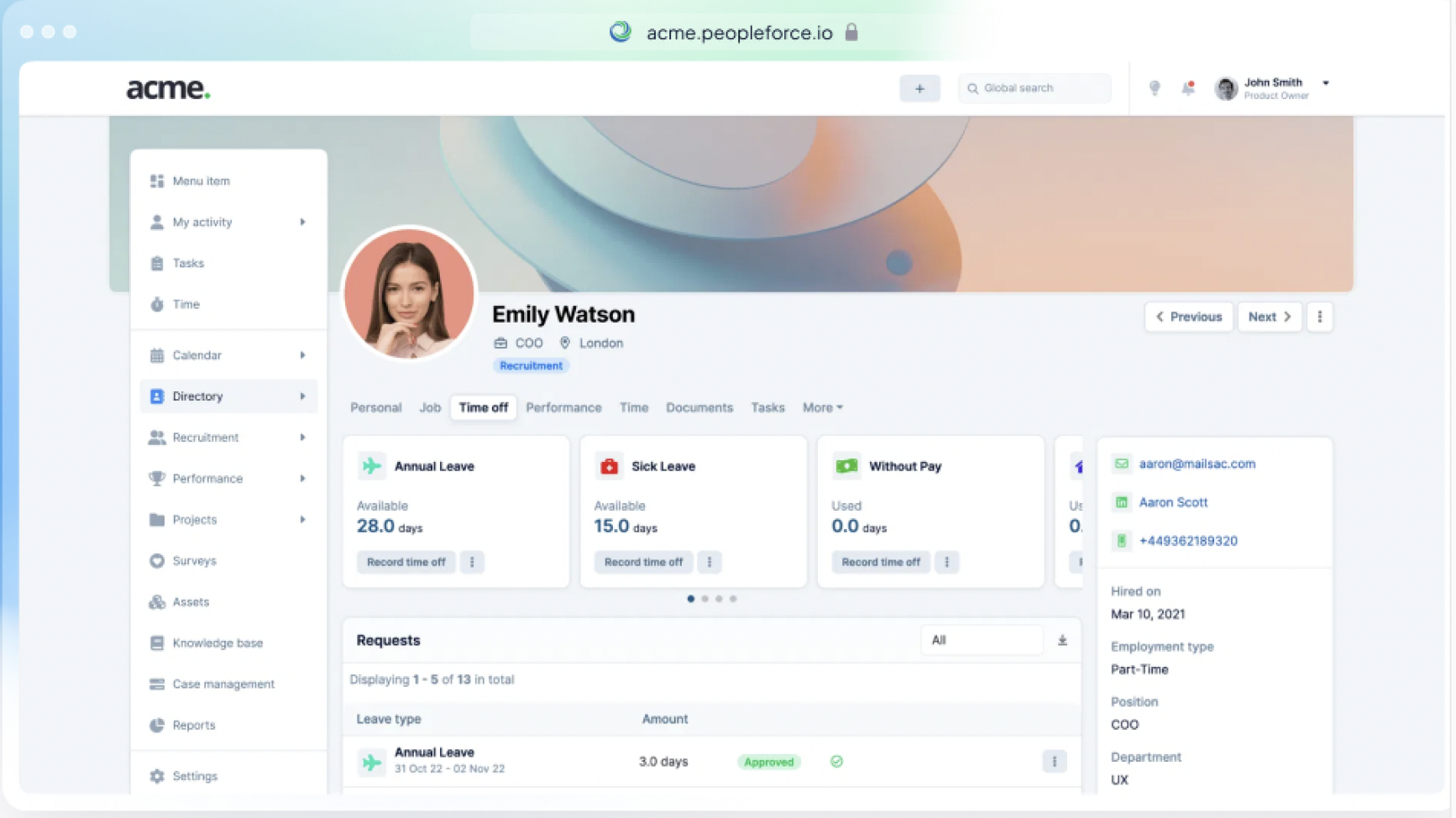
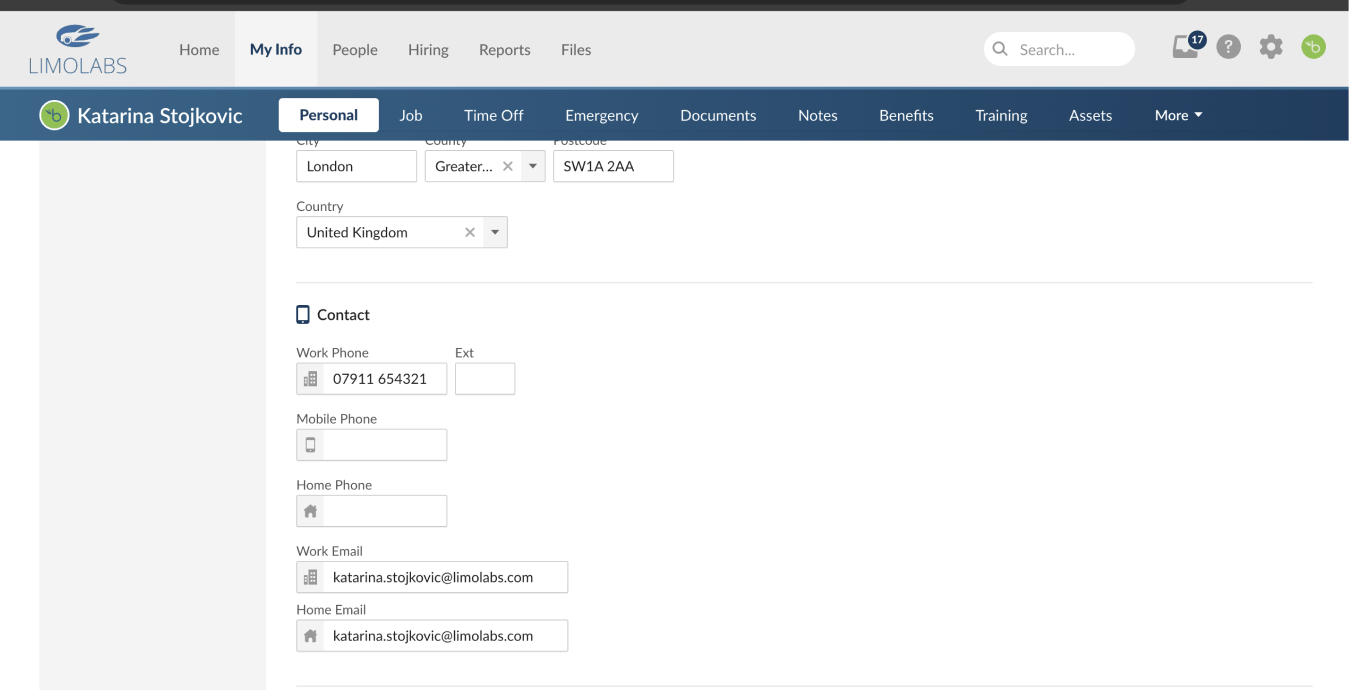
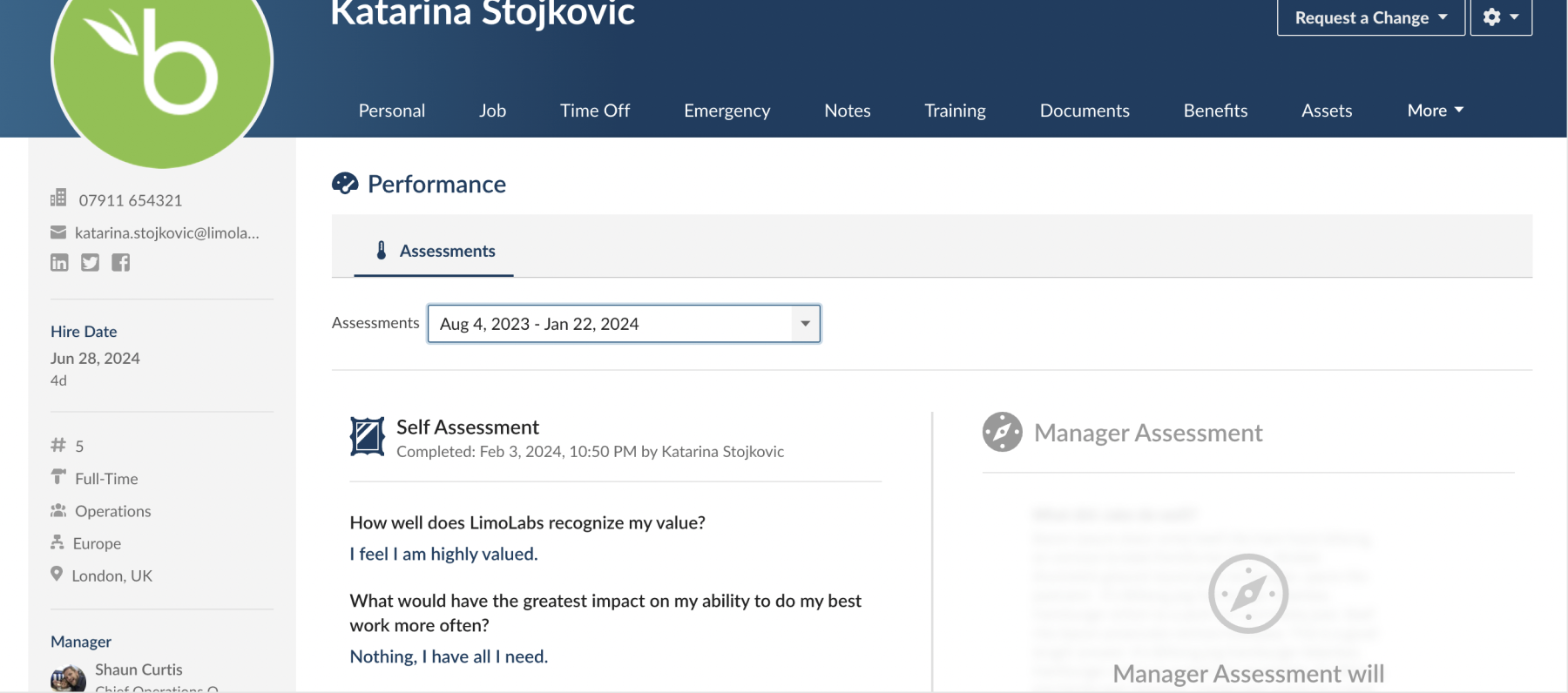
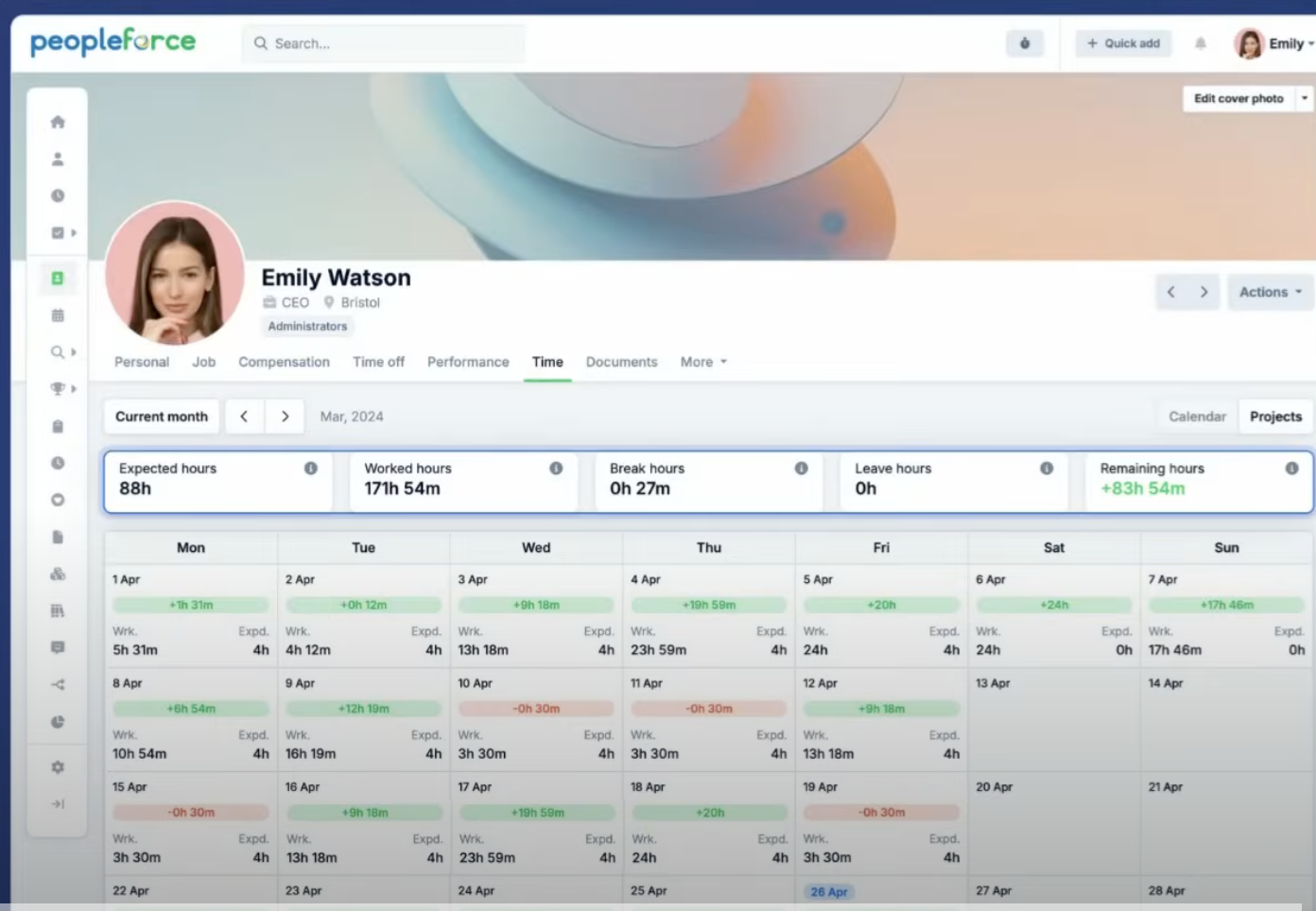
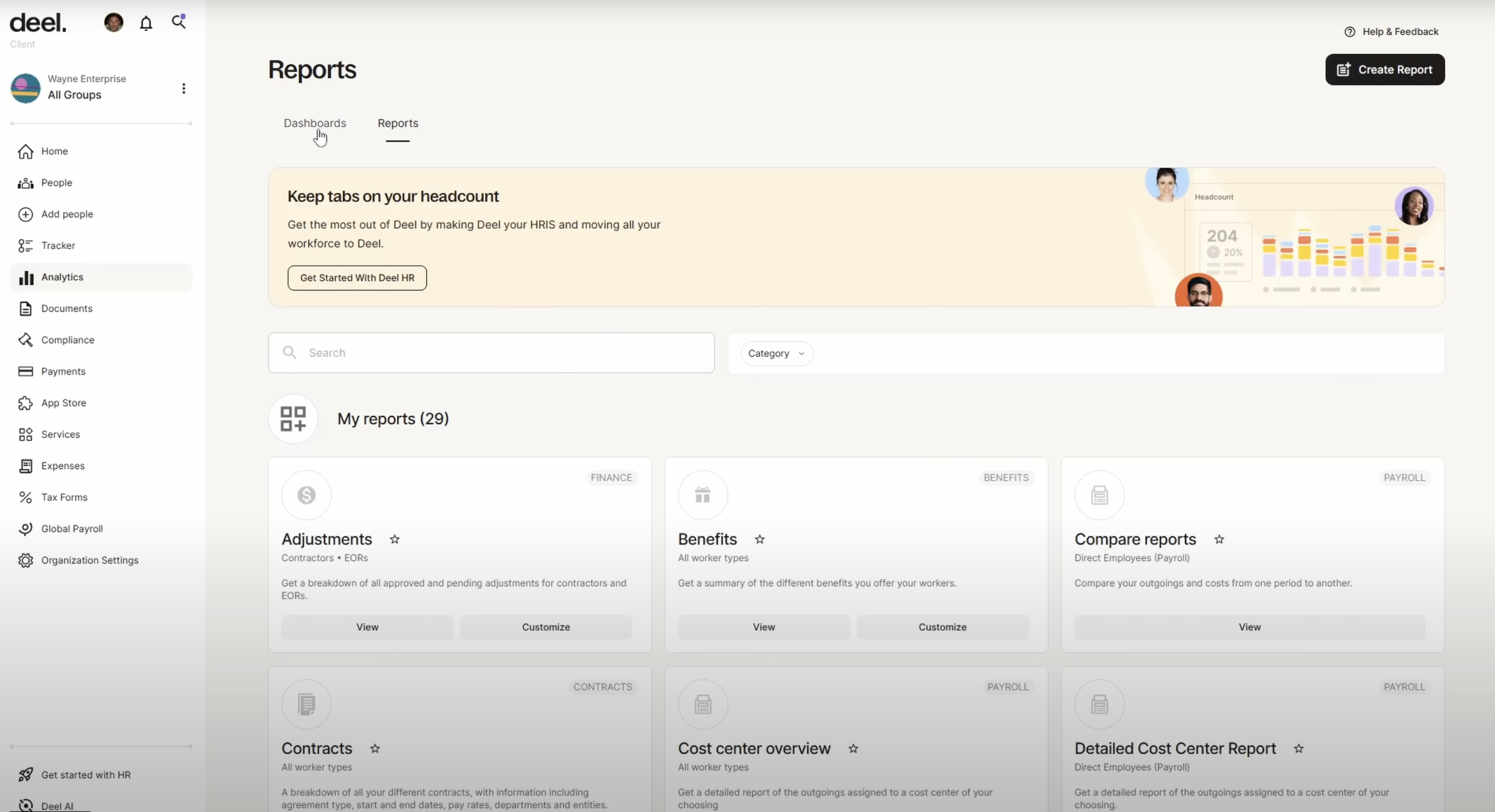
As part of the research, we analyzed BambooHR as one of the leading HR platforms on the market. BambooHR offers strong features for employee record management, vacation and sick leave tracking, and payroll add-ons. However, we identified that while BambooHR provides a solid general HR solution, it is not fully tailored to the unique needs of a large call center environment. We also tested PeopleForce and Deel which provides insights for industry standards.

Dashboard
My info
Salary
Employee List
Payroll
Documents
Leave Requests
Schedule
Employee
table
Performance
Reports
Onboarding
Dashboard
Settings
Adding new
employee
Client Portal
Training Module
Schedule
Shifts
Analytics

VALIDATION

Validating the Designs - High-fidelity Design and Prototyping

We tested our prototypes with end users, observing how they used features and where they struggled. Their feedback guided us to refine the designs, simplify interactions, and improve the overall experience.

Backoffice Portal (Administrative operations)

The Backoffice Portal is an administration platform designed for managing the entire system from a central location. It provides administrators with powerful tools to oversee operations, configure settings, manage users, monitor activities, and ensure smooth day-to-day business processes.

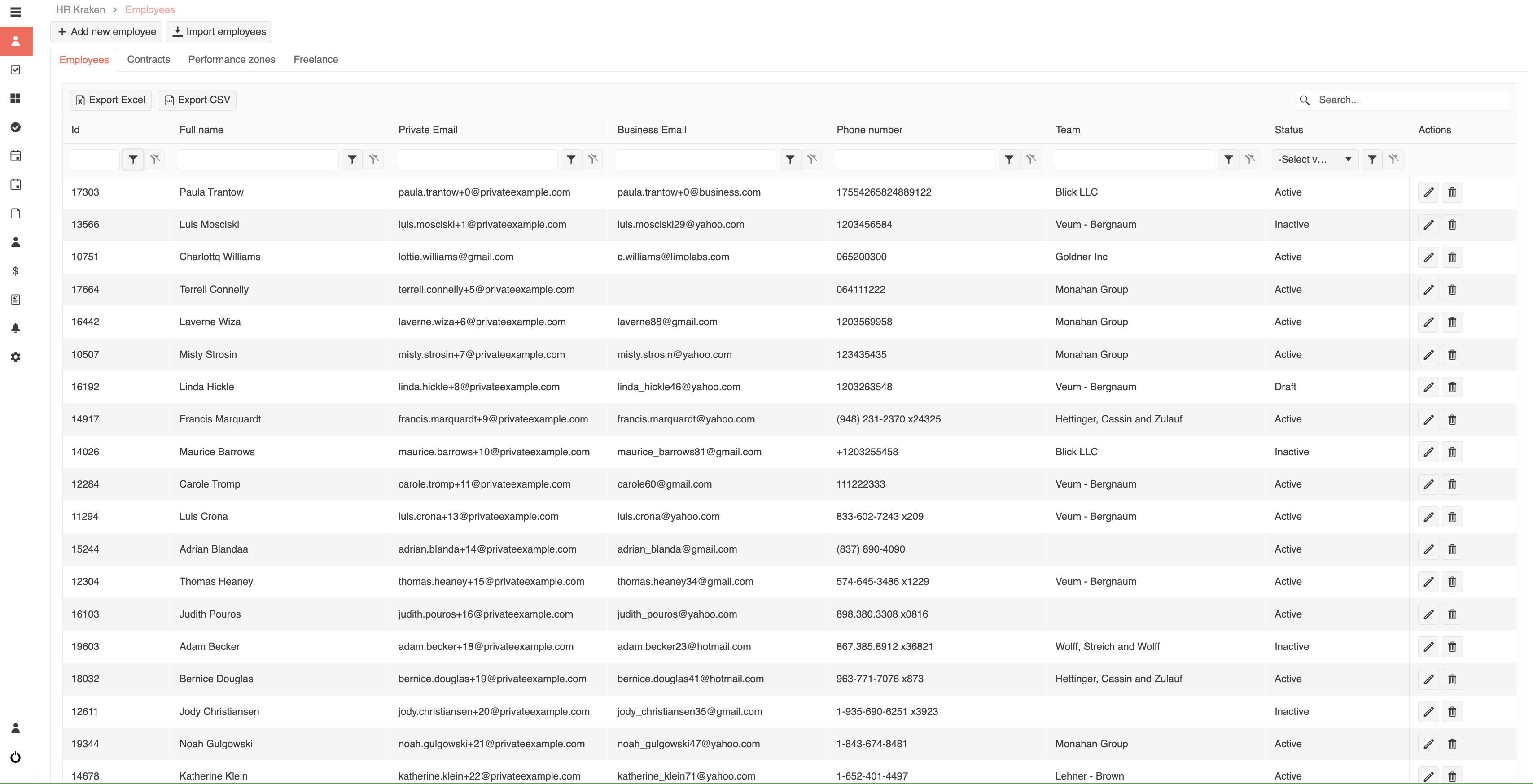
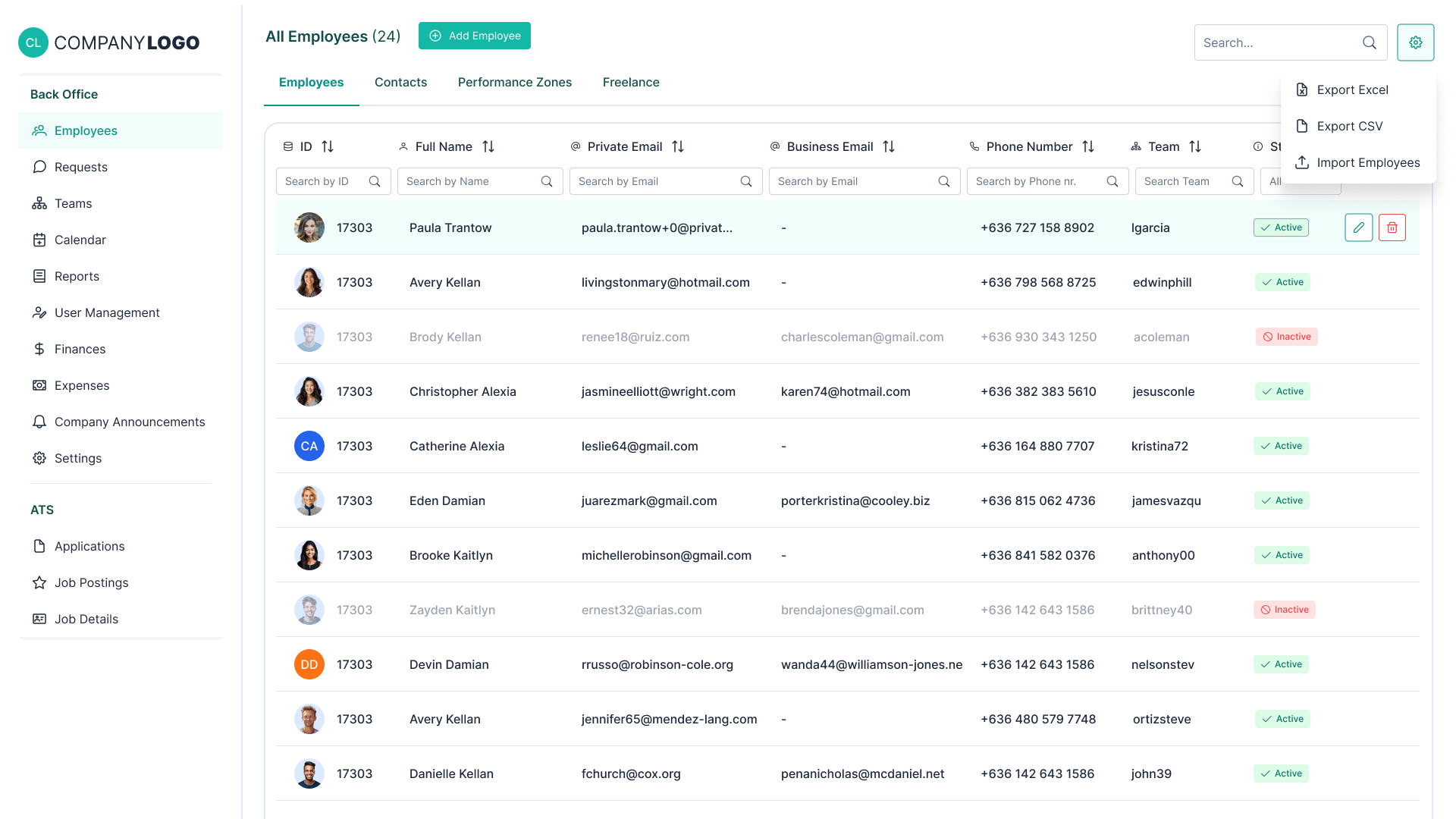
After testing with users, we introduced several improvements to the Employee List page:

These changes were guided directly by user feedback and are aimed at making the page more intuitive and efficient for everyday use.

BEFORE

HR System Before Redesign

AFTER

HR System After Redesign

Self-Service Portal (Employees portal)

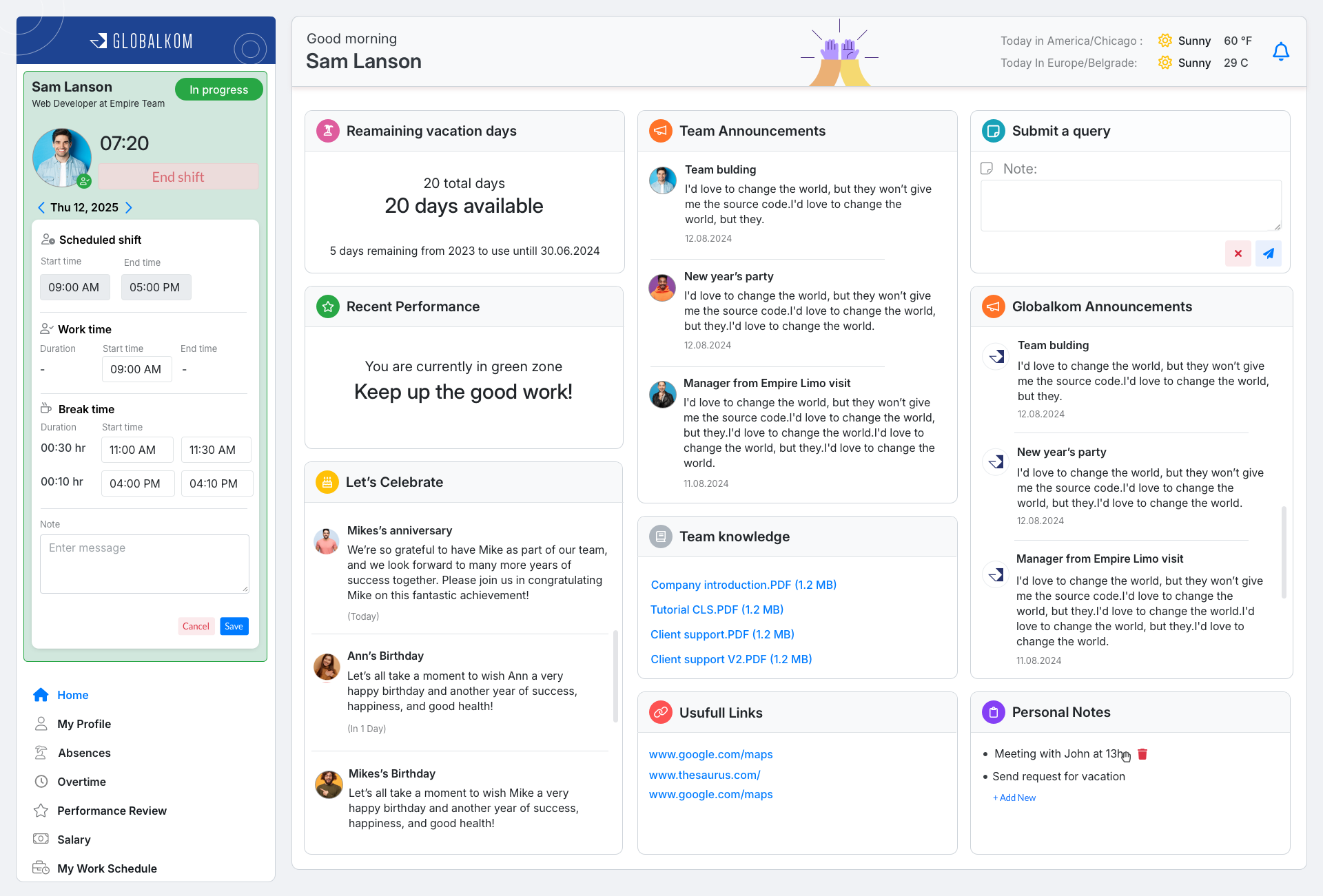
Since all the core functionalities were already in the back-office system, stakeholders suggested building a self-service portal for employees. We conducted interviews with employees, and the feedback was very positive—they felt empowered by having all their essential information and requests in one place, improving both employee satisfaction and administrative efficiency.

Key features:

• Request changes for employees personal details

• Submit vacation and overtime requests

• Employees can see in calendar view detailed shifts, days for vacations, when they were on sick leave, overtime.

• Team managers could review employee requests and, after confirming with the client, approve or reject them directly in the portal

Essential Change

During user testing, employees found the existing clock-in widget difficult to use and shifts with multiple pauses could quickly become confusing and widget was taking more and more space. Based on this feedback, we kept the main functionality in its original location for easy access, while moving detailed shift information into the dashboard, where employees could edit shifts in a clear modal view if necessary.

• Clock-in functionality where employees could log their working hours seamlessly

BEFORE

Clock-in Before Redesign

AFTER

Client portal (For external clients)

It's designed for clients of limo companies where our agents are working with. Through this portal, clients can easily access employee statistics, review and download invoices, check the work schedules of their employees, monitor shift coverage, and manage user accounts within their organization. It brings transparency, simplifies communication, and gives clients full control over their workforce data in one place.

Key features:

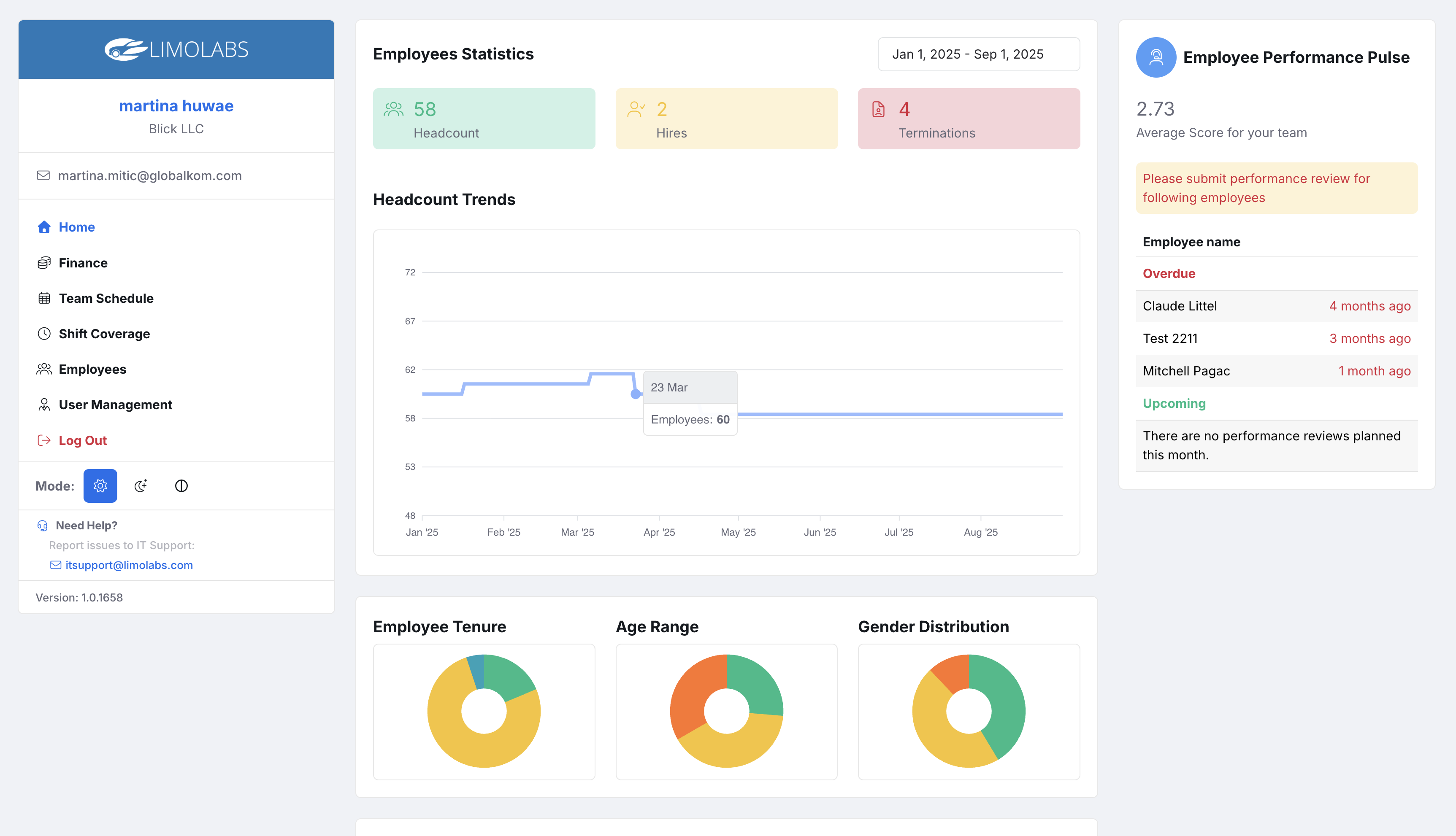
• The dashboard gives clients a quick overview of employees' workforce, showing how many employees worked each day, overdue hours, and new hires—providing clear insights into performance at a glance.

Client Dashboard Interface

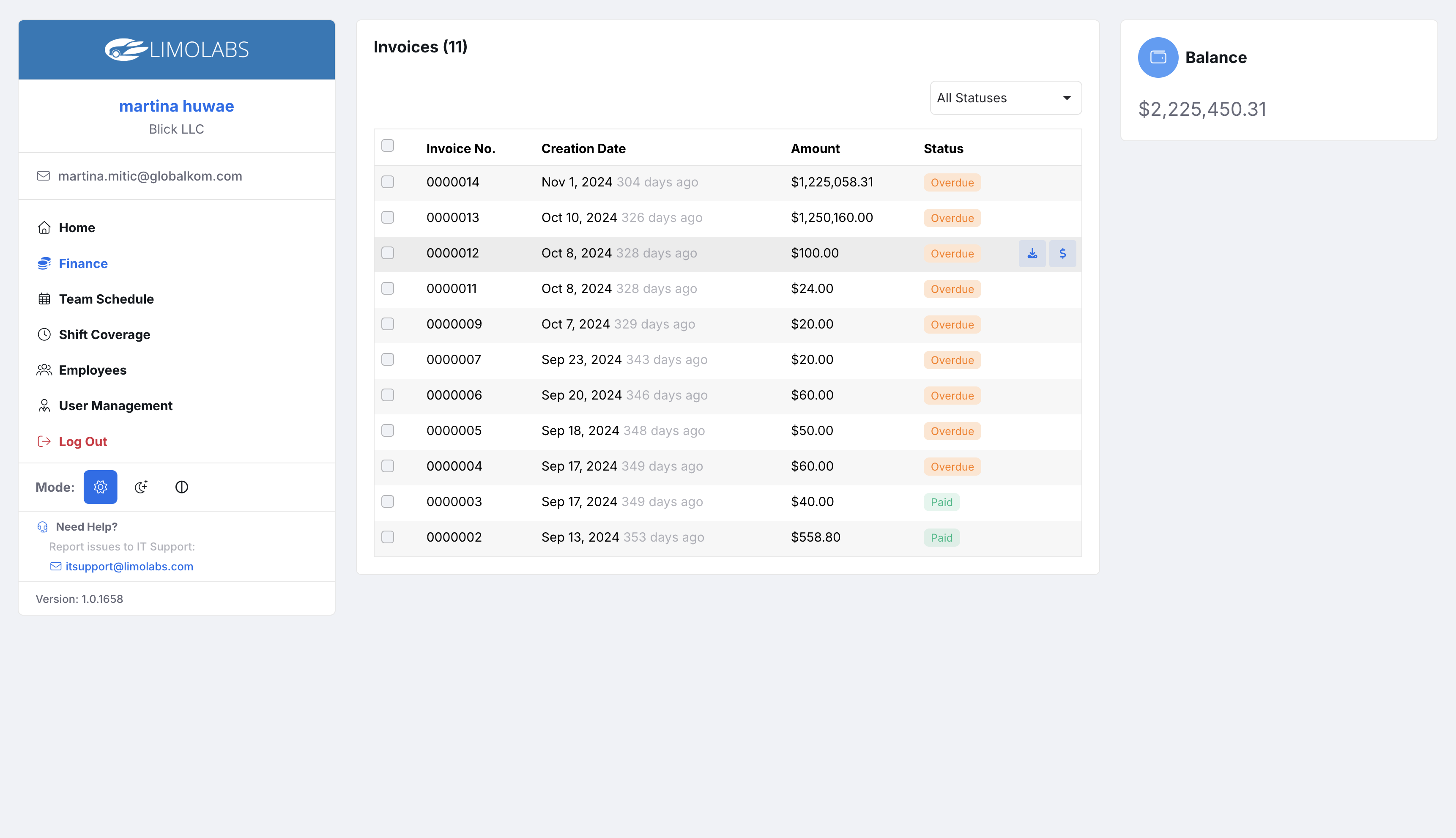
• Clients can easily view all their invoices in one place, including the amount, status, and remaining balance. This feature gives them a clear financial overview and supports their administration by simplifying expense tracking and payment management.

Finance Interface

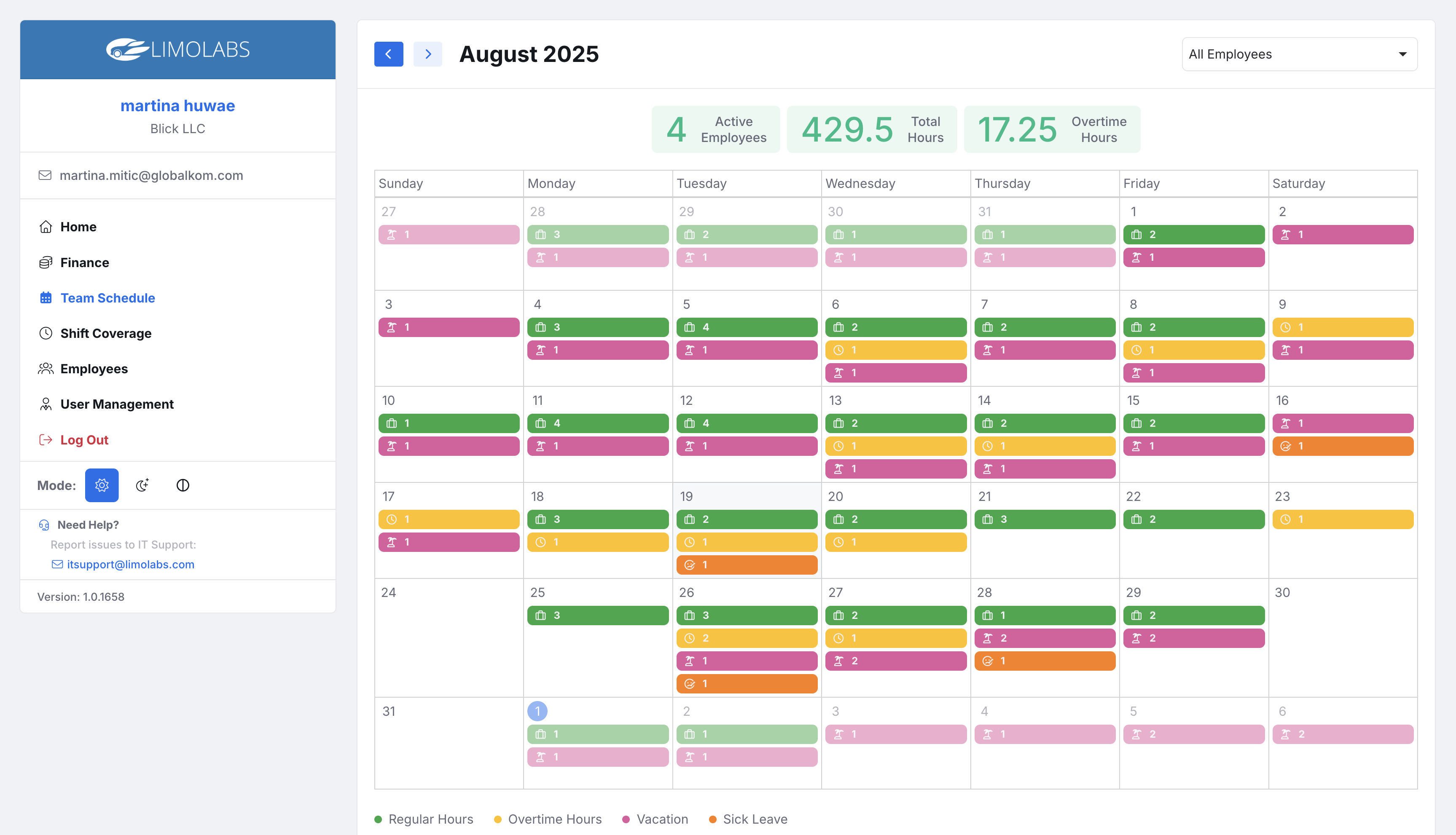
• Clients can view their employees in a calendar view, seeing exactly how many and which employees are working each day. They can also track who is on vacation or sick leave, monitor overtime, and get a clear overview of workforce availability at a glance.

Calendar Interface

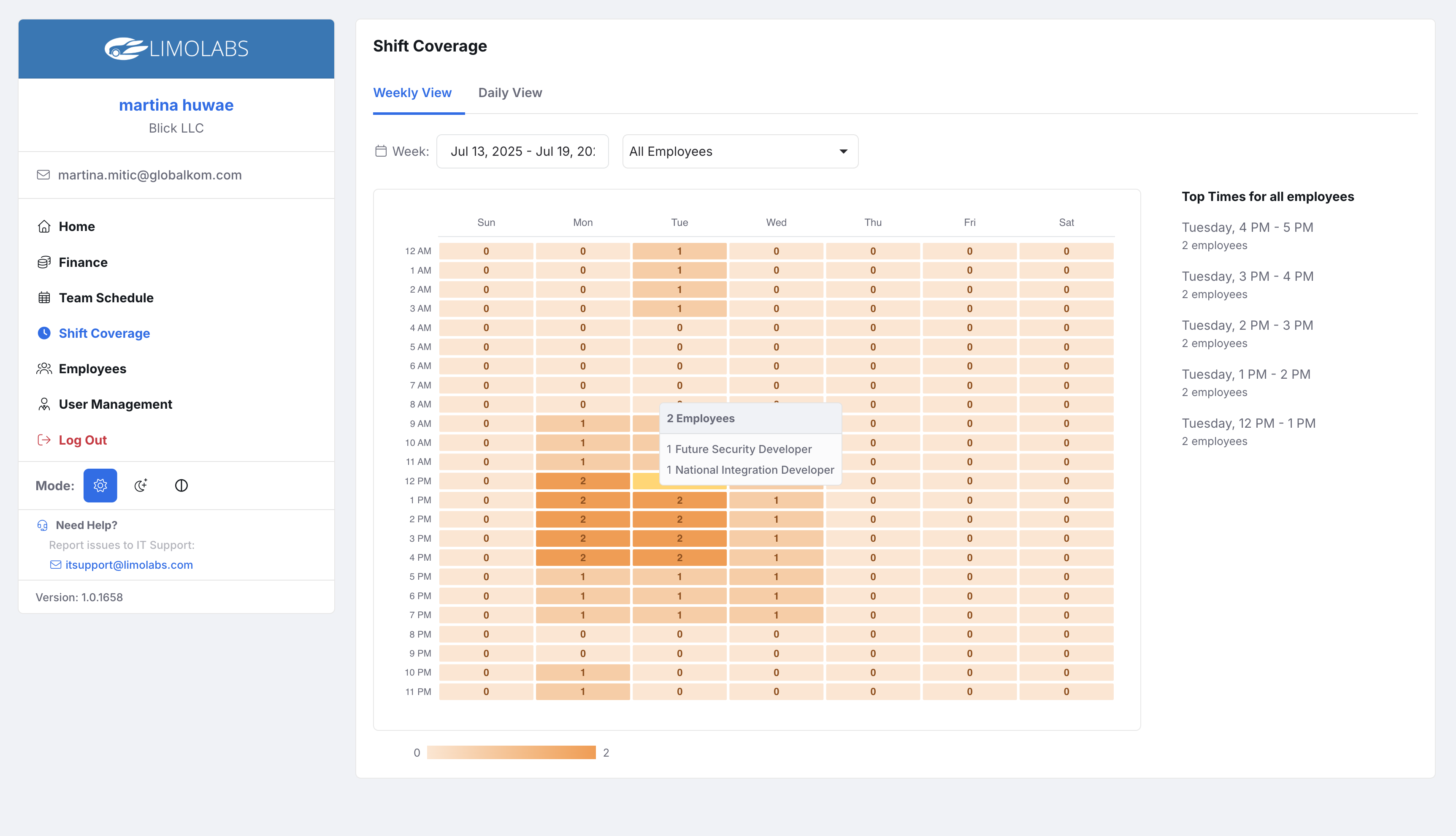
• The Shift Coverage feature gives clients a visual overview of the busiest hours, helping them understand workforce demand throughout the day and week. With daily and weekly views, clients can quickly identify peak times and ensure proper staffing.


Shift Coverage Interface

Design Handoff

After the design iterations and usability testing, I prepared the solution for development with a clear and structured design handoff process:

Tools & Deliverables

Figma design files with fully annotated flows, screen states, and responsive breakpoints.

Component library & design tokens (colors, typography, spacing) to ensure consistency across Backoffice, Employee Self-Service, and Client Portal.

Interaction guidelines describing hover states, form validations, error handling, and edge cases.

Redline specifications for spacing, font sizes, and iconography to avoid unclearness during development.

Collaboration with Developers

Conducted a handoff workshop with engineering leads to walk through flows and clarify business rules.

Stayed involved during the implementation phase, responding to dev questions and doing quick design QA checks to ensure fidelity.

Design Handoff

Design System

For our Backoffice apps, we began with Telerik & Kendo UI Kit, which let us move quickly using low-fidelity wireframes and predefined components instead of detailed prototypes. This streamlined collaboration between designers and developers.

As the product matured, we switched to PrimeNG for more flexibility, richer styling, and a refined design system, enabling a polished and modernized UI/UX.

For the Client and Self-Service Portals, we used a lightweight, responsive foundation to quickly deliver accessible, user-friendly interfaces.

Outcome & Impact

Process Automation

The standard process is automated, but flexibility is allowed for edge cases

Real-time Analytics

Faster decision-making with live dashboards and insights

Employee Satisfaction

Improves transparency between employees and company

ADDITIONAL WORK

Graphic Design

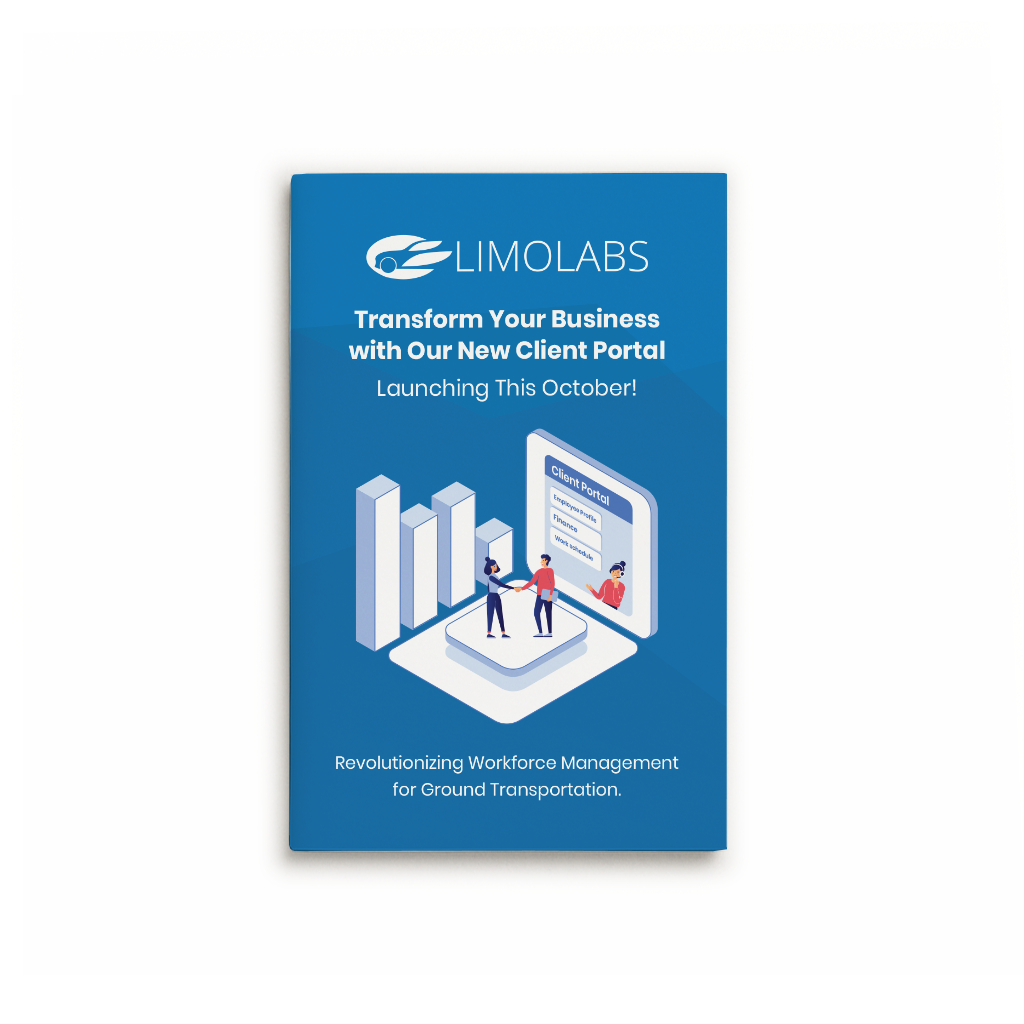
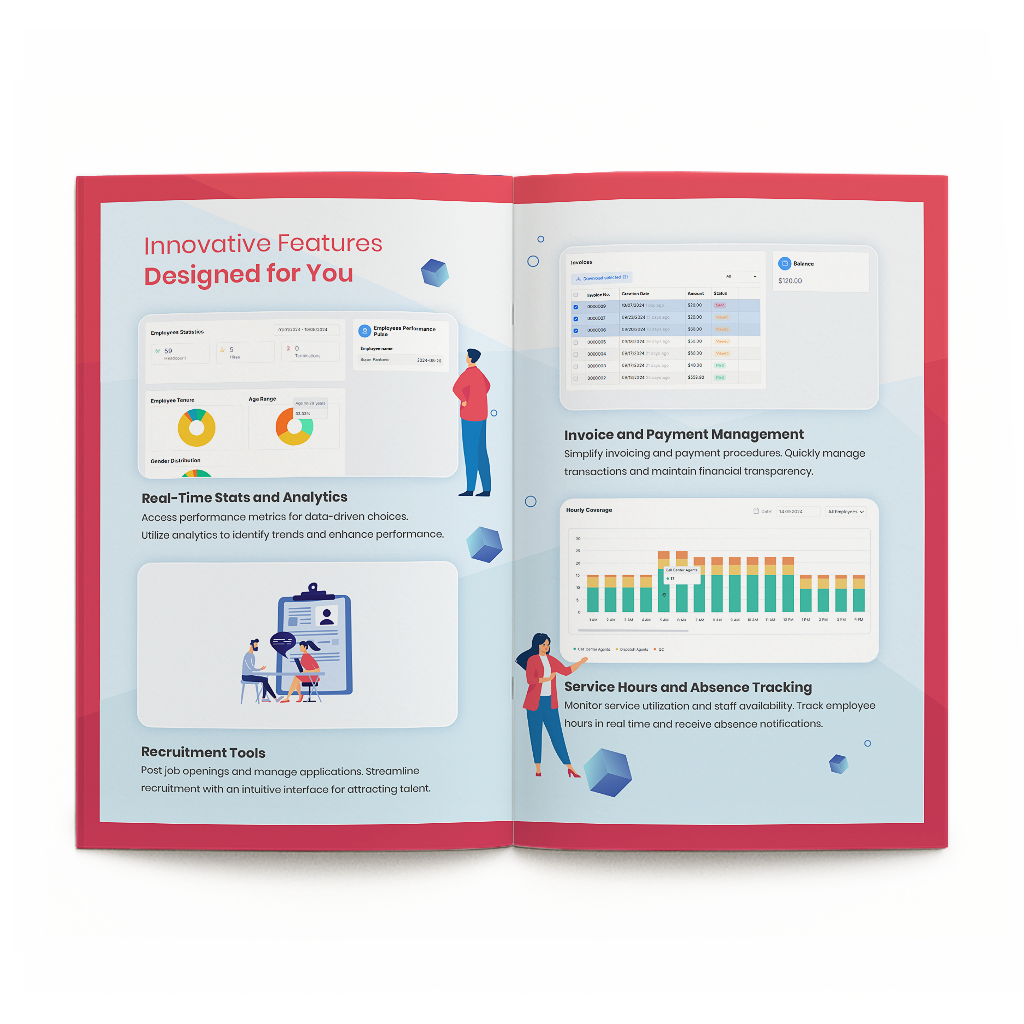
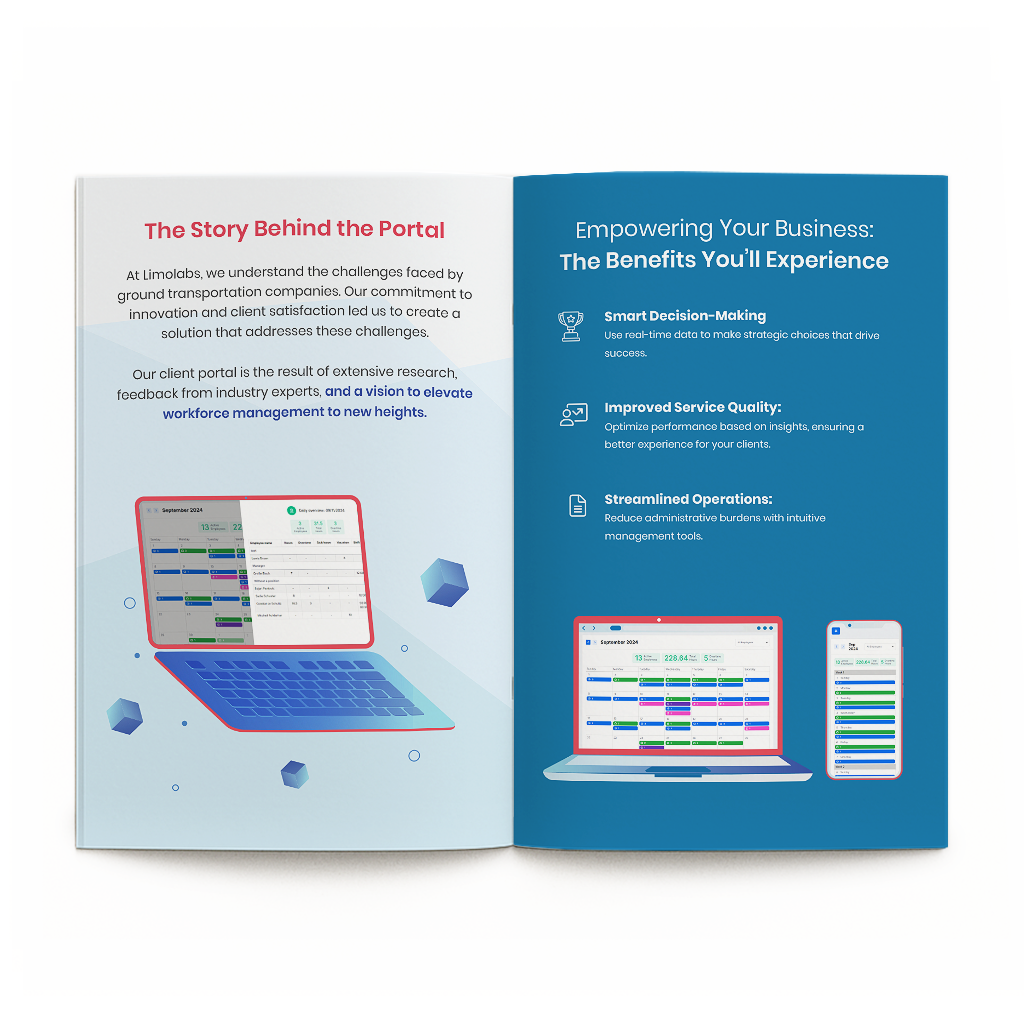
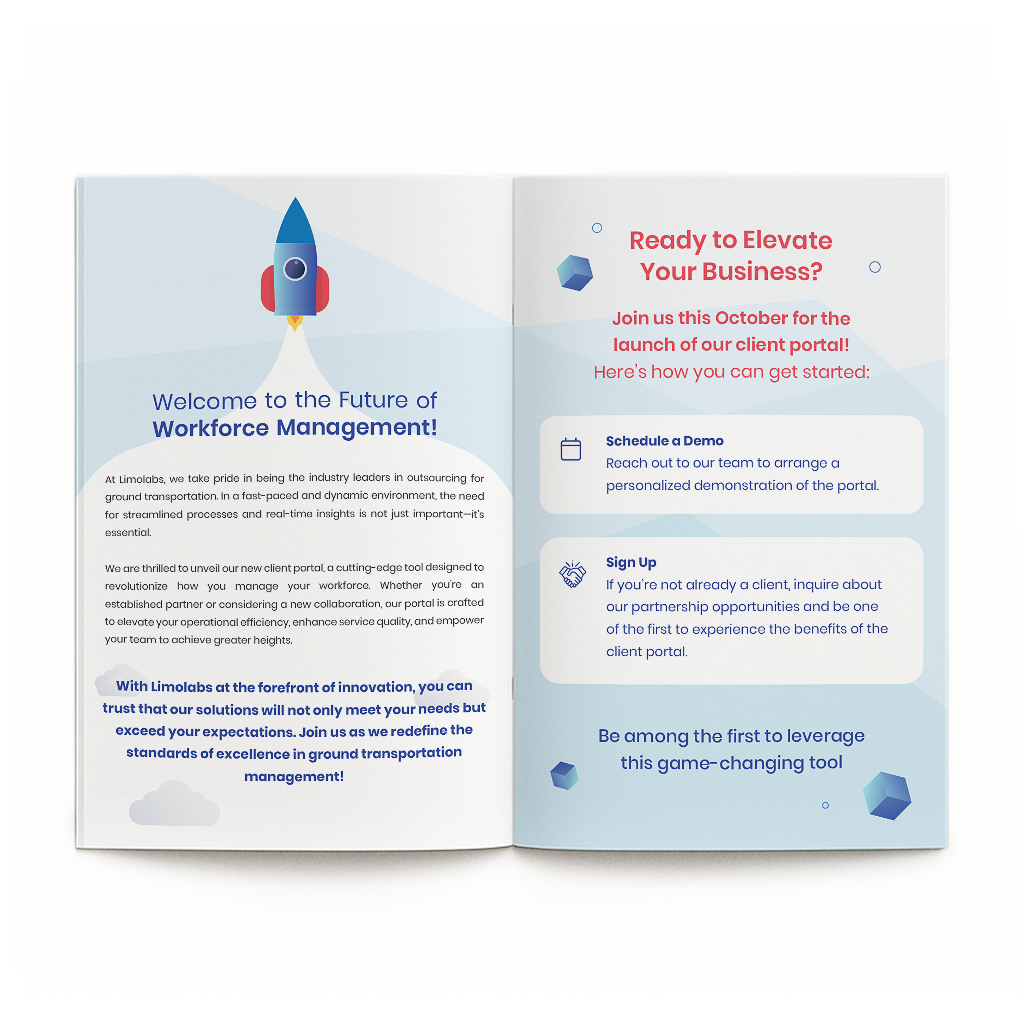
I created a booklet for our company's fair presentation, showcasing the Client Portal and its benefits. It highlighted key features in a clear, client-friendly way and aligned with the company's brand.

Booklet Page 1
Booklet Page 2
Booklet Page 3
Booklet Page 4

LOOKING BACK

Reflection and Lessons Learned

The Power of Copy

Copy can significantly impact understanding. Everything from one-word button labels to multi-sentence subheadings shapes how users interpret and experience a product.
Continuous Testing & Feedback

Test early and continuously expose designs to users. Frequent feedback ensures the product reflects real user needs rather than assumptions.

Clarity Through Simplicity

Complex systems can overwhelm both designers and users. Stripping ideas down to their essentials creates clarity, reduces friction, and helps people achieve their goals with confidence and ease.

Startup

UP NEXT

Next Project

Explore my next case study on Connecting students to homes across borders.

View Case Study